

If you’ve recently joined Bluesky (or been thinking about it), you’ve probably noticed one frustrating limitation: there’s no native scheduling feature.
Unlike platforms like LinkedIn or X where you can schedule posts directly, Bluesky requires you to post in real-time. And let’s be honest, who has the time to manually post at the perfect time every single day?
I’ve been exploring Bluesky scheduling tools for the past few months, and I’m excited to share what I’ve learned. Whether you’re a content creator, small business owner, or just someone who wants to maintain a consistent presence on Bluesky, scheduling tools are absolutely essential!
In this guide, I’ll walk you through the best ways to schedule posts on Bluesky, focusing on two standout tools that actually work.
Why You Need to Schedule Bluesky Posts
Before we further explore these tools, let’s talk about why scheduling matters.
Here’s the thing: Consistency is everything on social media. But posting manually at optimal times? That’s nearly impossible unless you’re glued to your phone 24/7.
Benefits of scheduling Bluesky posts:
- Save Time – Batch create content once and schedule for the entire week
- Post at Optimal Times – Reach your audience when they’re most active, even if you’re asleep.
- Maintain Consistency – Never miss a day, even when you’re busy or traveling.
- Better Planning – Plan content strategy in advance instead of scrambling daily
- Reduce Stress – No more last-minute panic about “what should I post today?”
I used to manually post on Bluesky every day, and honestly, it was exhausting. Some days I’d forget, other days I’d post at terrible times when my audience wasn’t online.
But scheduling posts using tools has changed everything!
The Two Best Tools for Scheduling Bluesky Posts
After testing several Bluesky scheduling tools, I’ve narrowed it down to two that actually deliver:
1. BlueskyScheduling.com
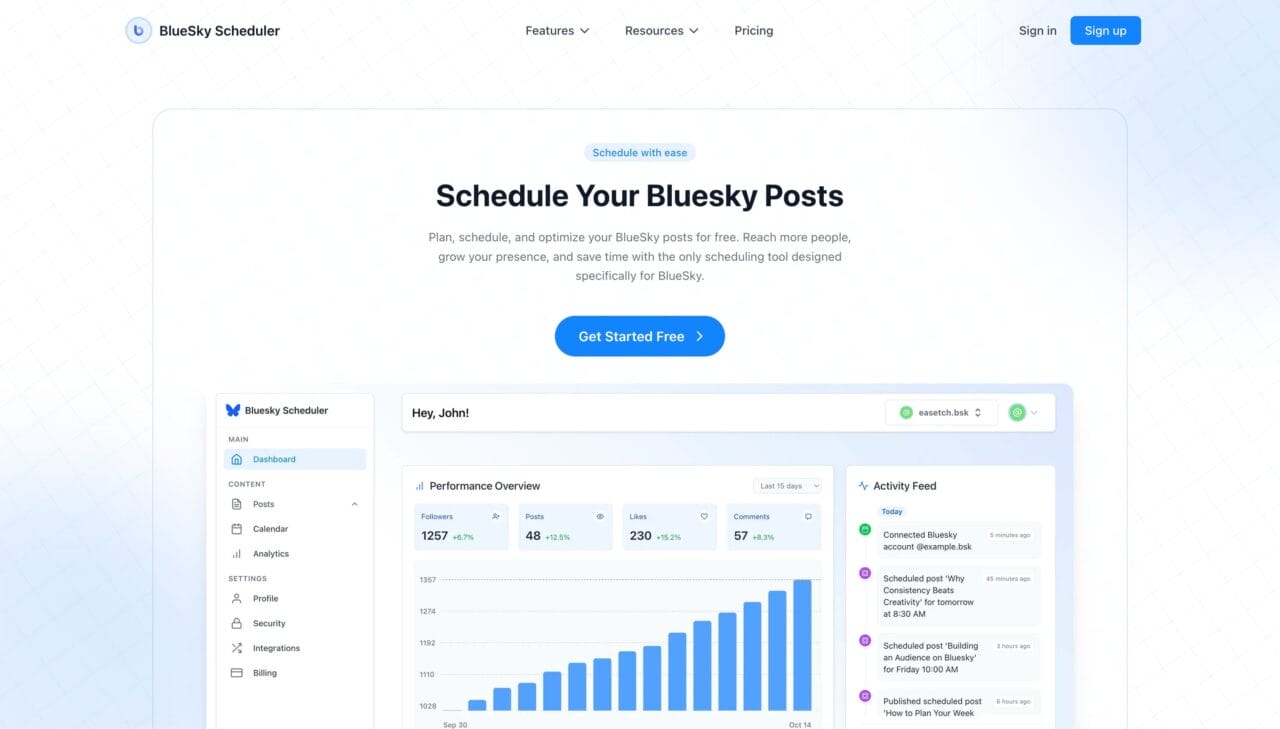
Bluesky Scheduling is a tool built specifically for Bluesky users. Unlike other platforms that adapted their existing tools to support Bluesky, this one was designed from the ground up with Bluesky in mind.
What makes it special?
The biggest advantage is that it’s completely free for one Bluesky account. No credit card required, no hidden fees, no “upgrade to unlock scheduling” nonsense. You can use AI to generate posts and schedule them for FREE on one account, which is perfect for individual creators and small businesses.
Key features:
- Unlimited Scheduling – Schedule as many posts as you want with the free plan.
- Thread Support – Create and schedule multi-post threads easily
- Media Support – Upload images, GIFs, and videos in all Bluesky-supported formats
- AI Writing Assistant – Get content suggestions when you’re stuck
- Simple Analytics – Track engagement and identify what works best
What I love about it:
The interface is incredibly simple. No overwhelming dashboards with features you’ll never use. You connect your Bluesky account (with minimal permissions required), create your posts, and schedule them. That’s it!
Plus, scheduling up to 2 weeks in advance means I can batch-create all my content on Sunday afternoon and forget about it for the entire week.
2. Buffer
Buffer for Bluesky is the official partner tool recommended by Bluesky itself. If you’re already using Buffer for other social platforms like X, LinkedIn, or Instagram, adding Bluesky is seamless.
What makes it special?
Buffer excels at cross-platform posting. If you manage multiple social media accounts, Buffer lets you create one post and publish it across all your platforms with a single click.
Key features:
- Cross-Posting – Schedule to Bluesky, X, Threads, Mastodon, LinkedIn, and more simultaneously
- Thread Creation – Create threaded posts before Bluesky natively supports this feature
- Content Library – Centralized hub for all your content ideas and drafts
- AI Assistant – Optional AI-powered content suggestions and refinement
- Bulk Scheduling – Import up to 100 posts at once via CSV
- Community Inbox – Manage comments across all platforms in one place
What I like about it:
If you’re managing content for multiple platforms, Buffer is unbeatable. The ability to schedule one post to Bluesky, X, and LinkedIn simultaneously saves enormous amounts of time.
The bulk scheduling via CSV is also a game-changer for agencies or brands with heavy posting schedules.
How to Schedule Posts on Bluesky: Step-by-Step
Let me walk you through the process with Bluesky Scheduling, since it’s the most straightforward option.
Step 1: Create Your Free Account
Visit Bluesky Scheduling and sign up with your email. No credit card needed!
Step 2: Connect Your Bluesky Account
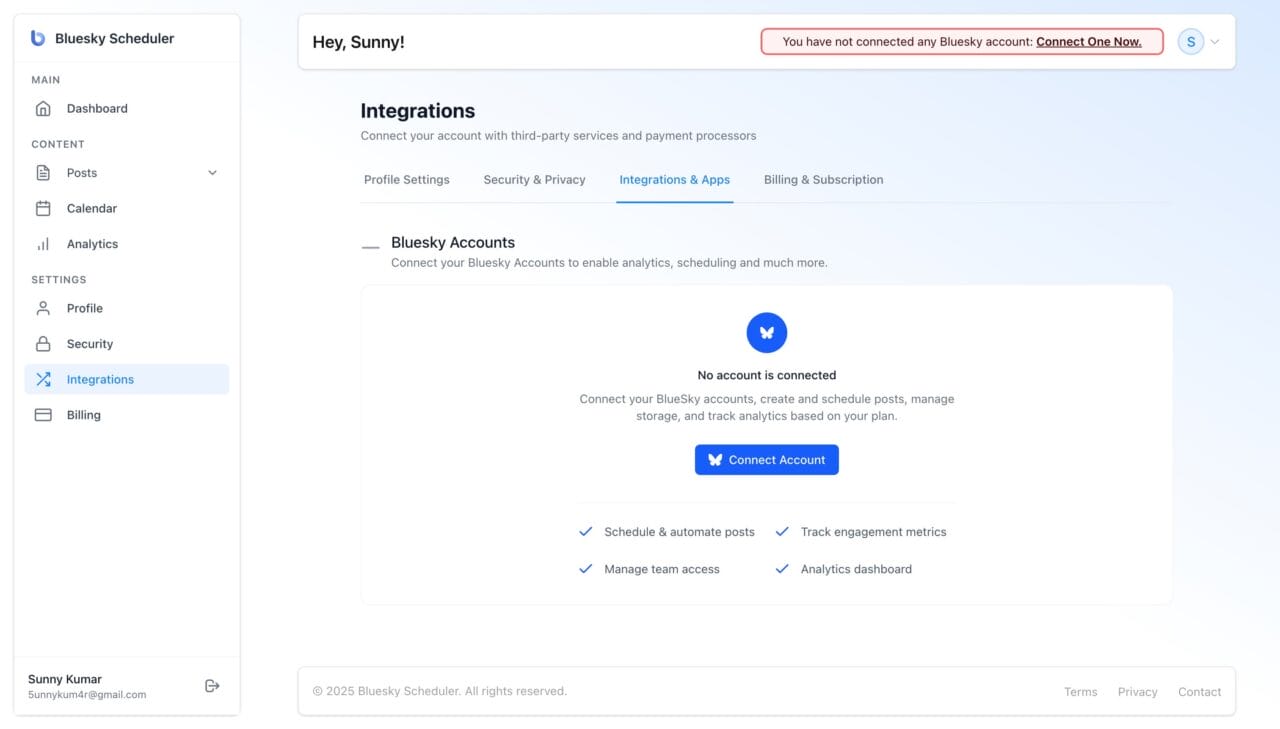
Click “Connect Account” and authorize the app to access your Bluesky profile. The permissions are minimal – it only needs access to post on your behalf.
Step 3: Create Your Post
Click “New Post” and compose your content. You can:
- Write text updates
- Upload images, GIFs, or videos
- Create multi-post threads
- Add links with preview cards
Step 4: Choose When to Post
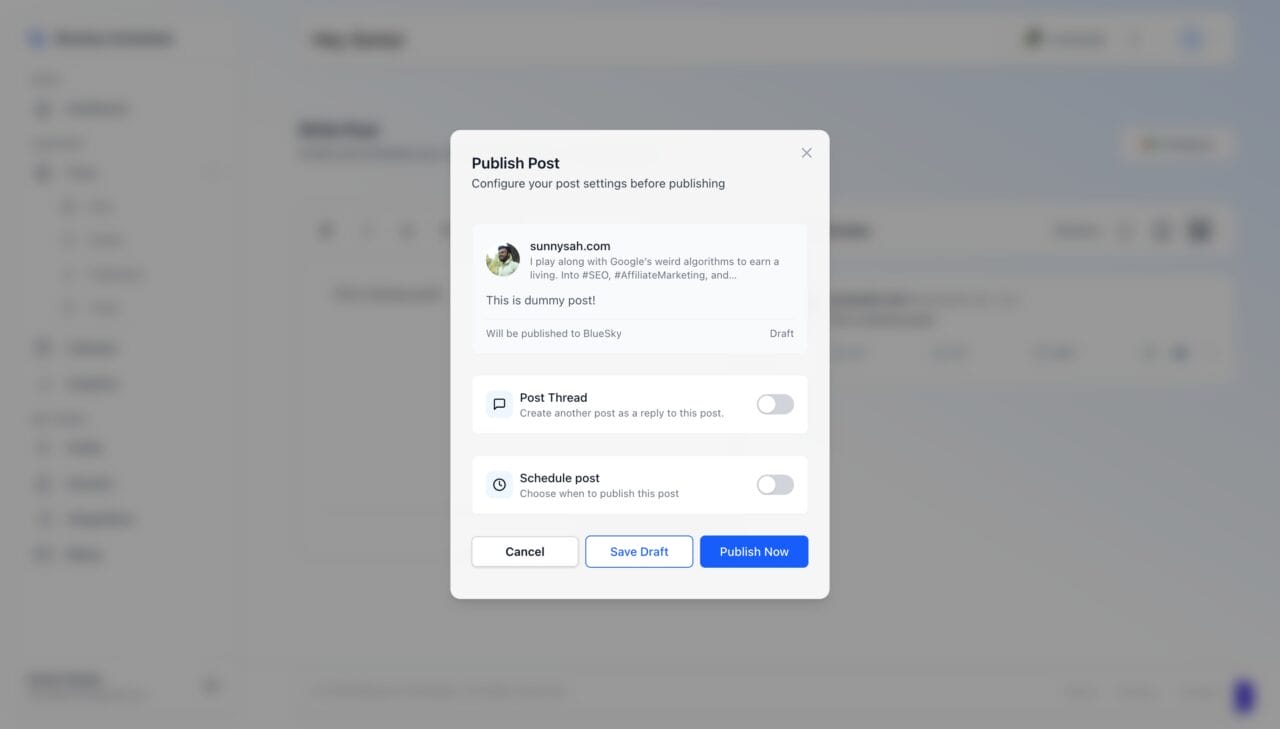
You have three options:
- Smart Schedule – Let the tool choose the optimal time based on your audience activity
- Custom Time – Pick a specific date and time
- Recurring Post – Set it to repeat weekly or monthly
Step 5: Schedule and Forget
Click “Schedule” and you’re done! The post will publish automatically at the chosen time.
Pro tip: Use the analytics feature to see which posting times get the most engagement, then schedule your best content for those time slots!
Tips for Scheduling Bluesky Posts Effectively
After months of scheduling posts, here are some lessons I’ve learned:
1. Batch Create Content
Set aside one or two hours per week to create all your content at once. It’s much more efficient than creating posts daily.
2. Use Smart Scheduling Features
Both tools offer smart scheduling based on audience activity. Use it! The algorithms are pretty good at finding optimal posting times.
3. Mix Scheduled and Real-Time Posts
Don’t schedule everything. Leave room for real-time engagement, trending topics, and spontaneous posts. A mix feels more authentic.
4. Schedule Different Content Types
Vary your content:
- Educational posts (how-tos, tips, tutorials)
- Engaging questions (start conversations)
- Personal updates (behind-the-scenes, thoughts)
- Curated content (share interesting finds)
5. Monitor Performance
Both tools provide analytics. Pay attention to:
- Which posting times get the most engagement?
- Which content types perform best?
- When your audience is most active
Use this data to refine your scheduling strategy over time.
Final Thoughts
Scheduling posts on Bluesky has transformed the way I use the platform. Instead of stressing about when to post or scrambling for content ideas, I spend one hour on Sunday planning my entire week.
Both Bluesky Scheduling and Buffer are excellent tools. Your choice depends on whether you need a focused Bluesky-only solution or a multi-platform management tool.
And if you’re already invested in Buffer’s ecosystem or manage multiple platforms, adding Bluesky to your existing Buffer workflow makes perfect sense.



