

TL;DR: As of March 2026, the best way to get a WP Rocket discount is subscribing to their newsletter for an instant 20% OFF code. During seasonal sales (Black Friday being the biggest), you can save up to 40%. Existing customers get an automatic 30% renewal discount. Pricing starts at $59/year (Single), $119/year (Plus, 3 sites), and $299/year (Multi, up to 500 sites).
I’ve been using WP Rocket on this very website since 2019, and it remains my go-to caching plugin. If you’re looking for a way to speed up your WordPress site, WP Rocket is one of the most reliable options out there.
But let me be upfront — most “WP Rocket coupon code” websites are full of expired or fake codes. In this guide, I’ll share every legitimate way to save on WP Rocket in 2026, along with my honest review after 6+ years of using it.
20%
Subscribe to WP Rocket’s newsletter at wp-rocket.me/coupons to receive an instant 20% discount code via email. Works on Single ($59), Plus ($119), and Multi ($299) plans. This is the most reliable way to save — available year-round.…
40%
WP Rocket runs 4 major sales per year — Spring (March), Anniversary (July), Halloween (October), and Black Friday (November). Black Friday 2025 offered 40% off all plans. Discounts auto-apply at checkout, no code needed.…
30%
Already a WP Rocket customer? Renew before your license expires to get an automatic 30% renewal discount. WP Rocket sends a reminder email with the discounted link. Works on all plans.…
How to Get a WP Rocket Discount in 2026 (3 Legitimate Ways)
Here’s the honest truth — WP Rocket doesn’t hand out coupon codes like candy. Their affiliate program actually prohibits partners from offering discount codes, which means most codes you find on random coupon sites are either expired, fake, or recycled from old promotions.
But there are three legitimate ways to save. I’ve verified each one as of March 2026.
1. Subscribe to WP Rocket’s Newsletter (20% OFF — Always Available)
This is the easiest and most reliable method. Head to WP Rocket’s official coupons page and enter your email address. You’ll receive a 20% discount code delivered straight to your inbox.

The code works on all plans. For the Single plan, that brings the price from $59 down to $47.20/year — a solid saving for what you’re getting.
2. Wait for Seasonal Sales (Up to 40% OFF)
WP Rocket runs four major promotional campaigns every year. These are the only times you’ll see discounts above 20%:
| Campaign | Timing | Expected Discount |
|---|---|---|
| Spring Sale | End of March | 20-30% OFF |
| Anniversary Sale | Beginning of July | 20-30% OFF |
| Halloween Sale | End of October | 20-30% OFF |
| Black Friday | End of November | Up to 40% OFF |
Black Friday is consistently the best deal. In November 2025, they offered 40% off all plans — the Single plan dropped to just $35.40/year. The Spring Sale 2026 is coming up at the end of this month, so keep an eye out.
During seasonal sales, discounts are auto-applied at checkout. No code needed.
3. Existing Customer? Get 30% OFF on Renewal
This one catches most people off guard. If you’re already a WP Rocket customer, you get an automatic 30% discount when you renew before your license expires.
WP Rocket sends a reminder email with the discounted renewal link. Here’s what that looks like in practice:
| Plan | Regular Price | Renewal Price (30% OFF) |
|---|---|---|
| Single | $59/yr | ~$41.30/yr |
| Plus | $119/yr | ~$83.30/yr |
| Multi | $299/yr | ~$209.30/yr |
That’s a significant saving over time, especially if you’re running WP Rocket on multiple sites. I’ve been renewing annually since 2019, and the 30% renewal discount has saved me over $100 across those years.
WP Rocket Pricing — Which Plan Should You Pick?
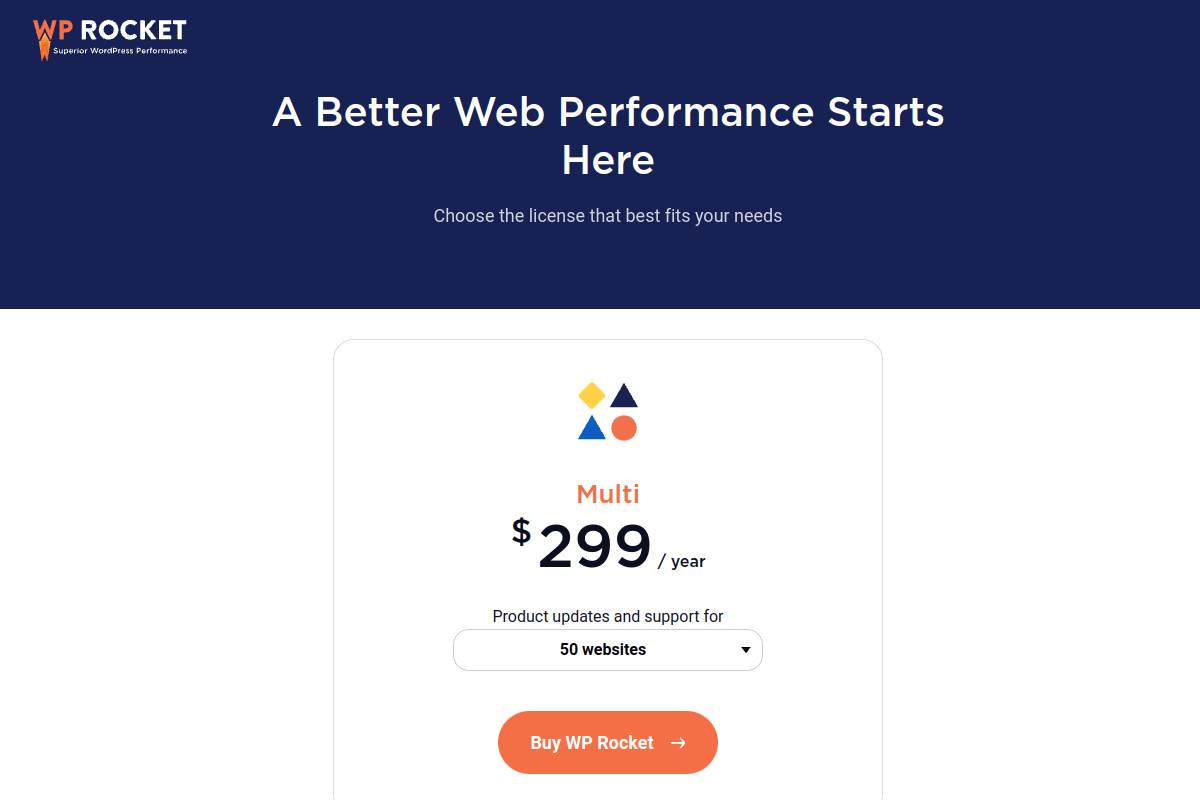
As of March 2026, WP Rocket offers three plans. All three include identical features — the only difference is how many websites you can use them on.
| Plan | Price | Websites | Best For |
|---|---|---|---|
| Single | $59/yr | 1 site | Personal bloggers, single site owners |
| Plus | $119/yr | 3 sites | Freelancers managing a few client sites |
| Multi | $299/yr | Up to 500 sites | Agencies and developers |
My recommendation? If you run a single WordPress site, the Single plan at $59/year is all you need. That’s less than $5/month for a plugin that genuinely transforms your site’s performance. I’ve been on the Single plan for years, and it does everything I need.
For agencies managing multiple client sites, the Multi plan is the best value — at $299/year for up to 500 sites, you’re paying as little as $0.60 per site.
All plans come with a 14-day money-back guarantee. There’s no free trial, but if WP Rocket doesn’t work for you, they’ll refund you — no questions asked.
How to Apply a WP Rocket Coupon Code (Step-by-Step)
Applying a WP Rocket discount is straightforward. Here’s the process:
Step 1: Visit wp-rocket.me/coupons and subscribe to their newsletter. You’ll receive a 20% discount code via email within minutes.
Step 2: Head to the WP Rocket pricing page and select the plan that fits your needs (Single, Plus, or Multi).
Step 3: On the checkout page, look for the “Have a coupon code?” field. Enter the code you received via email and click Apply.
Step 4: The discount will reflect immediately in your order total. Complete the payment, and you’ll get instant access to download WP Rocket.
Quick Note: WP Rocket only allows one coupon code per order. If a seasonal sale is active, the larger discount is usually auto-applied — you can’t stack the newsletter code on top of it.
My Experience with WP Rocket (Using It Since 2019)
I first installed WP Rocket on TheGuideX back in August 2019. At that time, I’d already tried W3 Total Cache, WP Super Cache, and a couple of other free caching plugins. None of them gave me the performance boost I was looking for without requiring hours of configuration.

WP Rocket changed that. Within 10 minutes of activation, about 80% of the performance gains kicked in automatically. The remaining tweaks — like enabling “Remove Unused CSS” and “Delay JavaScript Execution” — took another 10-15 minutes.
Here’s the actual GTmetrix data from my initial testing:
Speed Test Results: Before vs After WP Rocket
| Metric | Without WP Rocket | With WP Rocket | Improvement |
|---|---|---|---|
| PageSpeed Score | 87% | 99% | +12% |
| YSlow Score | 72% | 92% | +20% |
| Page Load Time | 2.4s | 1.6s | -33% |
| Total Page Size | 388 KB | 242 KB | -38% |
| HTTP Requests | 51 | 22 | -57% |
The results speak for themselves. A 33% reduction in load time and 57% fewer HTTP requests — that’s not a marginal improvement, that’s transformative.
As of March 2026, I’m running WP Rocket v3.20.5 on TheGuideX. The plugin handles page caching, file minification, lazy loading, and database cleanup. The latest version introduced Rocket Insights — a built-in performance monitoring feature that tracks your Core Web Vitals using GTmetrix data, so you don’t need a separate tool for that.
After 6+ years of continuous use, I can confidently say WP Rocket has been worth every dollar. The speed improvements directly contributed to better search engine visibility and lower bounce rates.
Key Features That Make WP Rocket Worth the Price
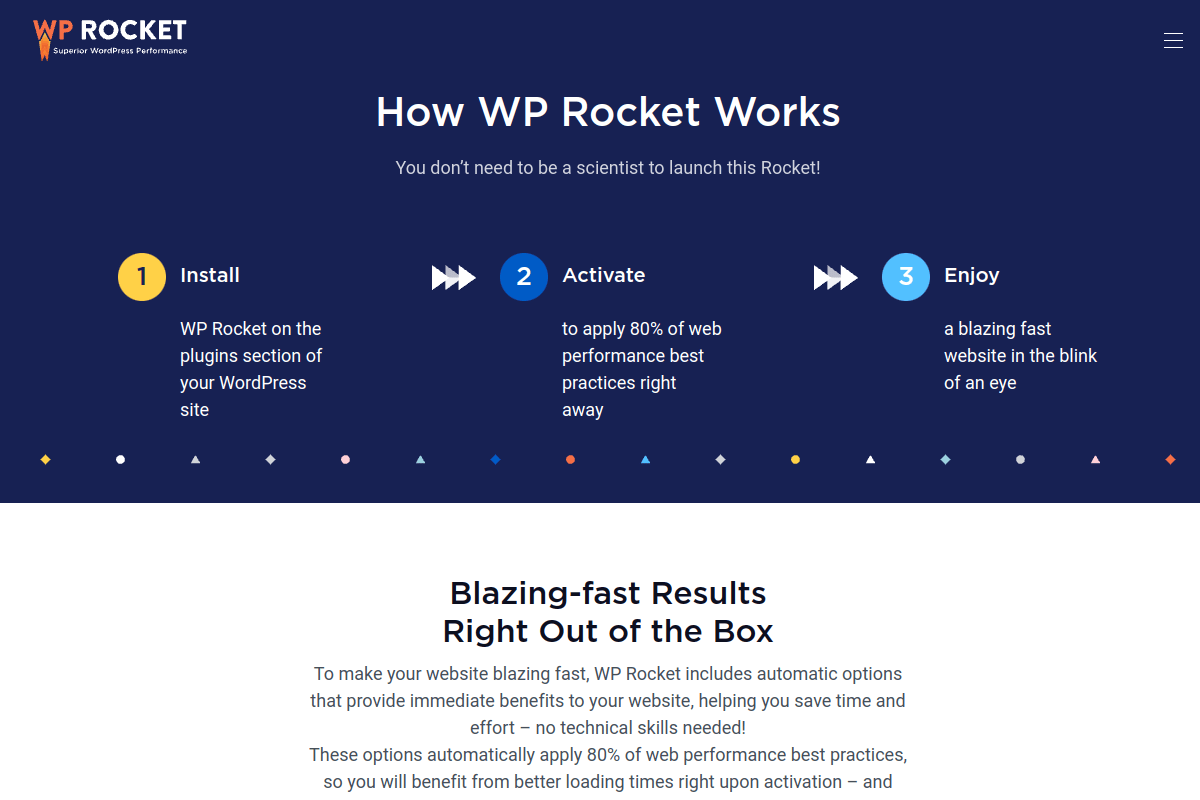
WP Rocket packs 30+ optimization features into one plugin. Here are the ones that matter most, based on my experience:
1. Page Caching & Browser Caching
WP Rocket generates static HTML files for every page, bypassing PHP and database queries for returning visitors. Browser caching stores assets like images, CSS, and JavaScript locally, eliminating repeat downloads. Both activate automatically on installation — no configuration needed.
2. File Optimization (CSS & JavaScript)
This is where WP Rocket really shines. It minifies CSS and JavaScript files, removes unused CSS, defers render-blocking resources, and delays JavaScript execution until user interaction. These features alone can shave 1-2 seconds off your load time. If you’re serious about optimizing your WordPress site’s performance, file optimization is where the biggest gains happen.
3. Media Optimization & Lazy Loading
Images and iframes load only when they enter the viewport, reducing initial page weight significantly. WP Rocket also replaces YouTube video embeds with lightweight preview images — a huge win for pages with multiple embedded videos. You can disable WordPress emojis and embeds scripts to cut unnecessary HTTP requests.
4. Preloading & Cache Warming
WP Rocket auto-generates cached pages whenever you publish or update content. It also crawls URLs from your sitemap to keep the cache fresh for high-traffic landing pages. This means your visitors always hit a cached version — no more slow first-load experiences.
5. Database Cleanup
Over time, WordPress databases accumulate junk — post revisions, trashed posts, expired transients, spam comments. WP Rocket cleans all of this on a scheduled basis (daily or weekly). A leaner database means faster queries and a snappier admin panel.
6. CDN Integration & Cloudflare Support
WP Rocket integrates with any CDN provider via CNAME configuration. It also offers RocketCDN (their own CDN at $9/month) and has built-in Cloudflare, Sucuri, and Varnish integration. I use it with BunnyCDN on TheGuideX, and the setup took about 2 minutes.
7. Rocket Insights (New in v3.20)
This is a newer addition — WP Rocket now includes built-in performance monitoring. It tracks your Core Web Vitals scores using GTmetrix data and provides actionable recommendations right inside your WordPress dashboard. No more switching between tools to check your site’s speed.
WP Rocket vs Free Caching Plugins — Is It Worth Paying?
This is the question I get asked most. Why pay $59/year when free caching plugins exist? Here’s my honest comparison:
| Feature | WP Rocket ($59/yr) | LiteSpeed Cache (Free) | FlyingPress ($59/yr) | W3 Total Cache (Free) |
|---|---|---|---|---|
| Ease of Setup | Beginner-friendly | Moderate | Intermediate | Advanced |
| Page Caching | Yes | Yes | Yes | Yes |
| Remove Unused CSS | Yes | Yes | Yes | No |
| Delay JavaScript | Yes | Yes | Yes | No |
| Database Cleanup | Yes | Yes | No | No |
| CDN Integration | Any CDN + RocketCDN | QUIC.cloud CDN | BunnyCDN | Any CDN |
| Works on Any Host | Yes | Best on LiteSpeed servers | Yes | Yes |
| Performance Monitoring | Rocket Insights | No | No | No |
| Support | Premium (ticket) | Community forums | Premium (ticket) | Community forums |
My honest take: If your hosting runs on a LiteSpeed server (like Hostinger, A2 Hosting, or Cloudways with OpenLiteSpeed), LiteSpeed Cache is a fantastic free option — use it. It’s fully featured and performs exceptionally well on compatible servers.
If you’re on Apache or Nginx hosting (which most WordPress sites are), WP Rocket is the most reliable premium choice. FlyingPress is a solid competitor that sometimes edges out WP Rocket in raw Core Web Vitals scores, but WP Rocket’s ease of use and broader community support make it my default recommendation for most users.
W3 Total Cache is free and powerful but has 16+ pages of settings — it’s not for beginners. If you’re comfortable with WordPress at an advanced level, it can work well. But for most site owners, WP Rocket’s “install and forget” approach saves more time than the $59/year it costs.
When Does WP Rocket Go on Sale? (2026 Promotional Calendar)
If you’re not in a rush, timing your purchase around WP Rocket’s sales can save you up to 40%. Here’s the confirmed 2026 promotional schedule based on WP Rocket’s official coupons page:
| Sale | Expected Timing | Expected Discount | Status |
|---|---|---|---|
| Spring Sale | Late March 2026 | 20-30% OFF | Coming soon |
| Anniversary Sale | Early July 2026 | 20-30% OFF | Upcoming |
| Halloween Sale | Late October 2026 | 20-30% OFF | Upcoming |
| Black Friday | Late November 2026 | 30-40% OFF | Biggest discount of the year |
If Black Friday is too far away, the 20% newsletter discount is available right now — and honestly, for a $59 plugin, saving $11.80 via the newsletter code versus waiting 8 months for an extra 10-20% off isn’t worth the delay. Your site’s speed improvement starts paying for itself from day one.
Pro Tip: If you buy WP Rocket now with the 20% newsletter discount, your renewal next year will automatically get the 30% loyalty discount. So your second year is even cheaper than the first.
How to Install WP Rocket After Purchase
Once you’ve purchased WP Rocket (with your discount applied), setting it up takes about 5 minutes:
1. Log in to your WP Rocket account at wp-rocket.me and download the plugin ZIP file.
2. In your WordPress dashboard, go to Plugins → Add New → Upload Plugin. Select the ZIP file and click Install Now.
3. Click Activate Plugin. Page caching starts working immediately — WP Rocket applies its default optimizations on activation.
4. Go to Settings → WP Rocket and enable these for additional gains:
- File Optimization tab: Enable “Minify CSS” and “Minify JavaScript”
- File Optimization tab: Enable “Remove Unused CSS” and “Delay JavaScript Execution”
- Media tab: Enable LazyLoad for images and iframes
- Preload tab: Enable “Activate Preloading” and add your sitemap URL
- Database tab: Schedule automatic cleanup (I use weekly)
That’s it. Test your site in GTmetrix or Google PageSpeed Insights after making these changes — you should see a significant improvement.
Frequently Asked Questions
Does WP Rocket offer a coupon code?
Yes. The most reliable way to get a WP Rocket coupon code is subscribing to their newsletter at wp-rocket.me/coupons — you’ll receive an instant 20% discount code via email. During seasonal sales (especially Black Friday), discounts up to 40% are auto-applied at checkout without needing a code.
Is there a WP Rocket free trial?
No, WP Rocket doesn’t offer a free trial. However, they provide a 14-day money-back guarantee on all plans, including renewals. If WP Rocket doesn’t meet your expectations, you can request a full refund within 14 days of purchase.
How much does WP Rocket cost in 2026?
WP Rocket costs $59/year for 1 website (Single plan), $119/year for 3 websites (Plus plan), or $299/year for up to 500 websites (Multi plan). All plans include the same features — the only difference is the number of sites covered.
Does WP Rocket offer a renewal discount?
Yes. Existing WP Rocket customers get an automatic 30% discount when they renew before their license expires. That brings the Single plan renewal down to approximately $41.30/year. WP Rocket sends a reminder email with the discounted renewal link.
Is WP Rocket worth the price?
In my experience after 6+ years of use — yes. WP Rocket improved TheGuideX’s PageSpeed score from 87% to 99%, reduced load time by 33%, and cut HTTP requests by 57%. The ease of use alone justifies the price — most optimizations activate automatically on installation.
Can I use WP Rocket with Cloudflare?
Yes. WP Rocket has built-in Cloudflare integration. You can connect your Cloudflare account directly from WP Rocket’s settings, and the plugin will automatically purge the Cloudflare cache when you update content. It also works with Cloudflare APO for even better performance.
Does WP Rocket work on all hosting providers?
Yes. WP Rocket is compatible with virtually every WordPress hosting provider — shared hosting, VPS, dedicated, and managed WordPress hosting. It works on Apache, Nginx, LiteSpeed, and OpenLiteSpeed servers. The only exception is WordPress.com free plans, which don’t allow plugin installations.
What is WP Rocket’s refund policy?
WP Rocket offers a 14-day money-back guarantee from the date of purchase. This applies to new purchases, upgrades, and annual renewals. After 14 days, no refunds are processed. RocketCDN has a separate 24-hour refund window.
Can I use multiple WP Rocket coupon codes?
No. WP Rocket allows only one coupon code per order. If a seasonal sale is active, the larger discount is usually auto-applied at checkout, and you cannot stack additional codes on top of it.
Does WP Rocket slow down my website?
No — the opposite. WP Rocket is specifically designed to speed up WordPress sites through caching, file optimization, lazy loading, and preloading. In rare cases, aggressive CSS/JS optimization can cause layout issues, but these are easily fixed by excluding specific files from optimization.
Summing Up!
After 6+ years of using WP Rocket on TheGuideX, here’s my verdict: it’s the easiest and most reliable way to speed up a WordPress site. The 20% newsletter discount makes it even more accessible, and if you time your purchase around Black Friday, you can save up to 40%.
If you’re running a WordPress site and your PageSpeed score isn’t where it should be, WP Rocket is the first plugin I’d recommend. It works out of the box, doesn’t require technical expertise, and the 14-day money-back guarantee means you have nothing to lose.
Grab the 20% newsletter discount, install it, and check your speed scores before and after. The difference will speak for itself.



