

TL;DR: LSI keywords are technically outdated, but semantic keyword research is more important than ever. The best tools for finding related keywords in 2026 are Semrush (best all-in-one), Ahrefs (best data accuracy), and Google Keyword Planner (best free option). I personally use Semrush and Ahrefs daily for all my keyword research across multiple blogs.
Let me be straight with you — if you’re searching for “LSI keyword research tools” in 2026, you’re actually looking for something slightly different than what the name suggests.
I’ve been doing SEO for over 8 years now. And in this time, the whole concept of LSI keywords has gone through a massive shift. Google’s own John Mueller has publicly said that Google doesn’t use Latent Semantic Indexing in its ranking systems.
But here’s the thing — the idea behind LSI keywords still matters a lot. Finding semantically related terms, synonyms, and contextual phrases that make your content more comprehensive? That’s basically what modern SEO is all about.
So in this guide, I’m sharing the 10 best tools that help you find these related keywords — whether you call them LSI keywords, semantic keywords, or just “related terms.” I’ve personally tested every single tool on this list across my websites.
If you want to first understand what LSI keywords are and how they work, I’d recommend reading that guide before continuing.
Wait — Does Google Actually Use LSI Keywords?
Short answer: No.
Latent Semantic Indexing was a technology developed in the 1980s for document retrieval. Google has moved far beyond that. Today, Google uses advanced AI systems like BERT, RankBrain, Neural Matching, and as of January 2026, Gemini 3 Flash to understand search queries and content.
These systems don’t just look for synonym matches. They understand context, intent, and the relationships between concepts at a level that LSI was never designed to handle.
So why do we still talk about “LSI keywords”? Because the term stuck in the SEO community. What people really mean when they say “LSI keywords” is semantically related keywords — and those absolutely matter for ranking in 2026.
Quick Note: According to a Princeton research study, content that includes relevant statistics and semantically related terms gets 30-40% more visibility in AI-generated answers from Google, ChatGPT, and Perplexity.
Bottom line — don’t get hung up on the “LSI” label. Focus on finding related terms that make your content more comprehensive and useful. That’s what all the tools below help you do.
* * *
Quick Comparison: 10 Best LSI Keyword Research Tools
Before we dive deep into each tool, here’s a quick comparison table so you can pick the right one based on your budget and needs:
| Tool | Best For | Price | Free Plan? |
|---|---|---|---|
| Semrush | All-in-one SEO + keyword research | $139.95/mo | Limited free (10 queries/day) |
| Ahrefs | Data accuracy + competitor analysis | $129/mo | Limited free tools |
| SurgeGraph (formerly LSIGraph) | AI content + semantic keywords | $49/mo | Limited free |
| Google Keyword Planner | Free keyword research with Google data | Free | Yes (needs Google Ads account) |
| Surfer SEO | Content optimization + NLP keywords | $99/mo | No (free trial available) |
| KeywordTool.io | Autocomplete-based keyword ideas | $89/mo | Yes (limited data) |
| Keyword Sheeter | Bulk keyword generation | Free | Yes |
| Soovle | Multi-engine keyword suggestions | Free | Yes |
| LowFruits | Finding low-competition keywords | Credits-based ($25+) | Limited free |
| Ultimate Keyword Hunter | Dedicated LSI keyword discovery | Free | Yes |
* * *
10 Best LSI & Semantic Keyword Research Tools (Detailed Review)
Now let’s break down each tool in detail. I’ve personally used all of these at some point during my SEO journey, so I’m sharing real experience here — not just feature lists copied from their websites.
1. Semrush — Best All-in-One SEO Tool
If I had to pick just one tool for keyword research, it would be Semrush. I’ve been using it for over 5 years, and it has the most comprehensive keyword database I’ve seen — over 26 billion keywords across 142 countries as of February 2026.
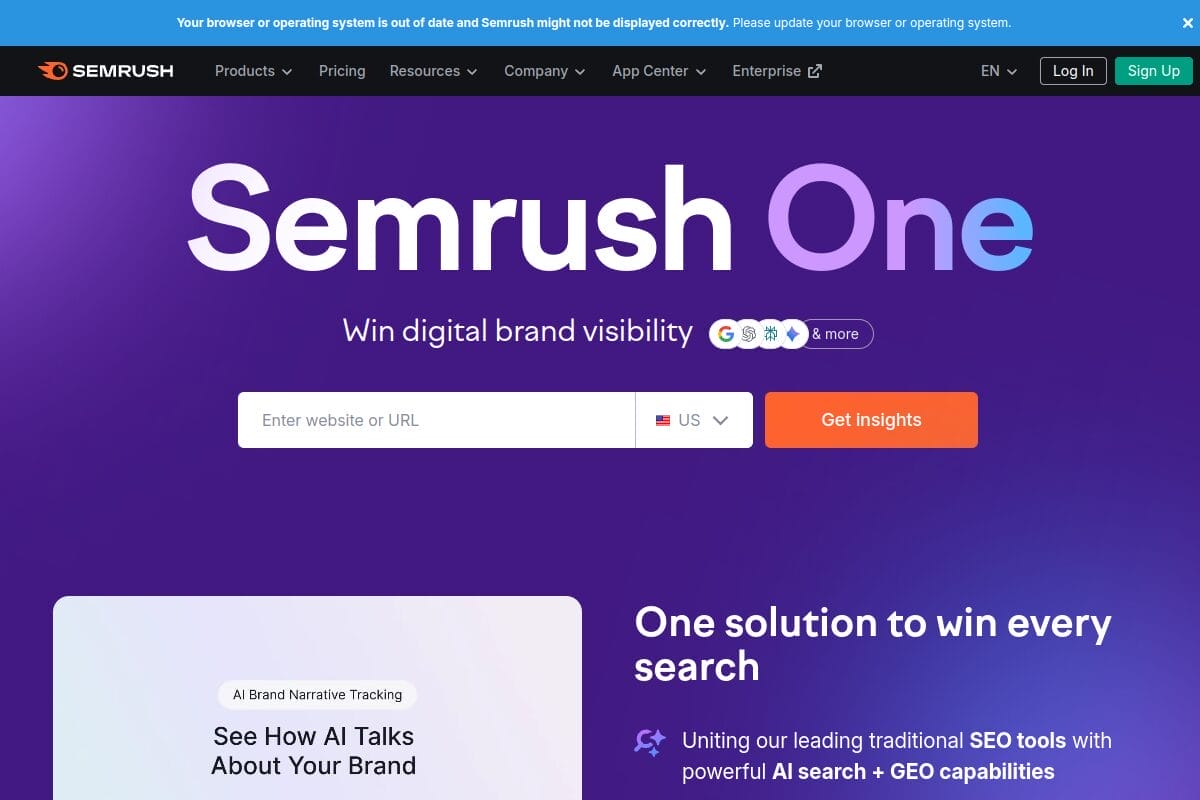
What makes Semrush brilliant for finding semantic keywords is its Keyword Magic Tool. Type in any seed keyword, and it shows you thousands of related terms grouped by topic clusters. You can filter by questions, broad match, phrase match, and exact match.
In 2025, Semrush also introduced AI-powered keyword clustering that automatically groups semantically related keywords into content silos. This is a game changer if you’re building topical authority.
What I like:
- Keyword Magic Tool with topic clustering
- SEO Writing Assistant that checks for semantic keyword usage in real-time
- Competitor keyword gap analysis
- Intent classification for every keyword (informational, commercial, etc.)
What I don’t like:
- Expensive for beginners ($139.95/month for Pro plan)
- Can feel overwhelming with so many features
Pricing: Plans start at $139.95/month. You can grab a 14-day free Semrush trial using our exclusive link to test it out.
* * *
2. Ahrefs — Best for Data Accuracy
Ahrefs is the tool I open when I need the most accurate keyword data possible. Their Keywords Explorer has a database of 28.7 billion keywords across 217 locations — the largest in the industry right now.
For finding semantic keywords, Ahrefs gives you several reports in one search: “Also rank for” (keywords that top-ranking pages also rank for), “Also talk about” (terms frequently mentioned on ranking pages), and “Questions” (question-based variations).
The “Also talk about” report is basically what people mean when they say “LSI keywords.” It shows you exactly which related terms the top-ranking content is using.
What I like:
- “Also rank for” and “Also talk about” reports — perfect for finding semantic terms
- Real clickstream data showing actual clicks (not just search volume)
- Content Gap tool for finding keywords your competitors rank for but you don’t
- Traffic potential metric (more useful than raw search volume)
What I don’t like:
- No free plan (starts at $129/month)
- Learning curve for beginners
Pricing: Starts at $129/month (Lite plan).
* * *
3. SurgeGraph (Formerly LSIGraph) — Dedicated Semantic Keyword Tool
If you’ve been in SEO for a while, you probably remember LSIGraph. It was one of the first free tools specifically built for finding LSI keywords. In January 2023, LSIGraph officially rebranded to SurgeGraph.
And it’s not just a name change. SurgeGraph has transformed into a full AI-powered content creation platform. You still get the semantic keyword discovery features, but now it also includes an AI writer, content optimization scores, and SERP analysis.
I used LSIGraph back in its early days, and the rebranded version is genuinely better. The keyword suggestions are more relevant, and the content optimization features save a lot of time.
What I like:
- Originally built specifically for semantic keyword research
- AI content writer with built-in keyword optimization
- Visualizes semantic relationships between keywords
- More affordable than Semrush or Ahrefs
What I don’t like:
- The free tier is very limited now
- Smaller keyword database compared to Semrush/Ahrefs
Pricing: Starts at $49/month.
* * *
4. Google Keyword Planner — Best Free Option
You can’t go wrong with Google’s own data, right?
Google Keyword Planner remains one of the most reliable free tools for keyword research. It pulls data directly from Google’s search database, so the suggestions it gives are based on real search behaviour.
For finding related keywords, use the “Discover new keywords” feature. Enter your main keyword, and Google shows you dozens of related terms with search volume, competition level, and bid estimates.
The catch? You need a Google Ads account to use it (though you don’t need to run actual ads). And the search volume data shows ranges instead of exact numbers unless you’re spending money on ads.
What I like:
- 100% free to use
- Data comes directly from Google
- Historical search trends for each keyword
- Location and language filtering
What I don’t like:
- Search volume shown in ranges (not exact numbers) on free accounts
- Designed primarily for advertisers, not SEO professionals
- No keyword difficulty or SERP analysis features
Pricing: Free (requires Google Ads account).
* * *
5. Surfer SEO — Best for Content Optimization
Surfer SEO takes a different approach. Instead of just giving you a list of keywords, it analyses the top-ranking pages for your target keyword and tells you exactly which related terms you should include in your content.
Their Content Editor is where the magic happens. It uses NLP (Natural Language Processing) to identify the semantic terms that top-ranking content uses. As you write, it scores your content in real-time and suggests keywords you’re missing.
I find Surfer SEO most useful after I’ve done my initial keyword research with Semrush or Ahrefs. It helps me make sure my content covers all the right topics and doesn’t miss any important related terms.
What I like:
- NLP-based semantic keyword suggestions
- Real-time content scoring as you write
- Shows exactly what top-ranking pages include
- Great for content optimization (not just research)
What I don’t like:
- No free plan
- Limited keyword research features compared to Semrush/Ahrefs
Pricing: Starts at $99/month.
* * *
6. KeywordTool.io — Best Autocomplete-Based Tool
KeywordTool.io generates keyword ideas using Google Autocomplete data. It’s dead simple — enter a keyword, and it gives you hundreds of long-tail variations based on what real people are actually typing into Google.
What makes it unique is that it doesn’t just pull from Google. You can also get autocomplete suggestions from YouTube, Bing, Amazon, eBay, Instagram, and Twitter. This gives you a much broader picture of what people are searching for across different platforms.
The free version generates up to 750+ long-tail keyword suggestions per search. But you won’t see search volume, CPC, or competition data without the paid plan.
What I like:
- Pulls from 8+ platforms (Google, YouTube, Amazon, etc.)
- Supports 194 Google domains and 83 languages
- Works without creating an account
- Very fast results
What I don’t like:
- No search volume or keyword difficulty data on free plan
- Paid plans are expensive ($89/month)
Pricing: Free (limited) or $89/month for Pro.
* * *
7. Keyword Sheeter (Formerly KeywordShitter) — Best Bulk Generator
Keyword Sheeter (yes, it was originally called KeywordShitter — they rebranded in 2019 for obvious reasons) is a bulk keyword generator that scrapes Google Autocomplete suggestions at scale.
Hit the start button, and it just keeps generating keywords non-stop. You can literally get thousands of keyword ideas in minutes. It also has positive and negative filters so you can refine the results while it’s still running.
I use this tool when I need a massive list of keyword ideas quickly. It’s not fancy, but it’s effective for brainstorming and content planning.
What I like:
- Completely free
- Generates thousands of keywords in minutes
- Positive/negative filters for refining results
- No account needed
What I don’t like:
- No search volume, difficulty, or CPC data
- Raw output needs manual sorting
- Basic interface with no advanced features
Pricing: Free.
* * *
8. Soovle — Best for Multi-Engine Keyword Ideas
Soovle is one of those tools that’s been around forever and still works great. It pulls search suggestions from Google, Bing, Yahoo, Amazon, YouTube, Wikipedia, and Answers.com — all on a single page.
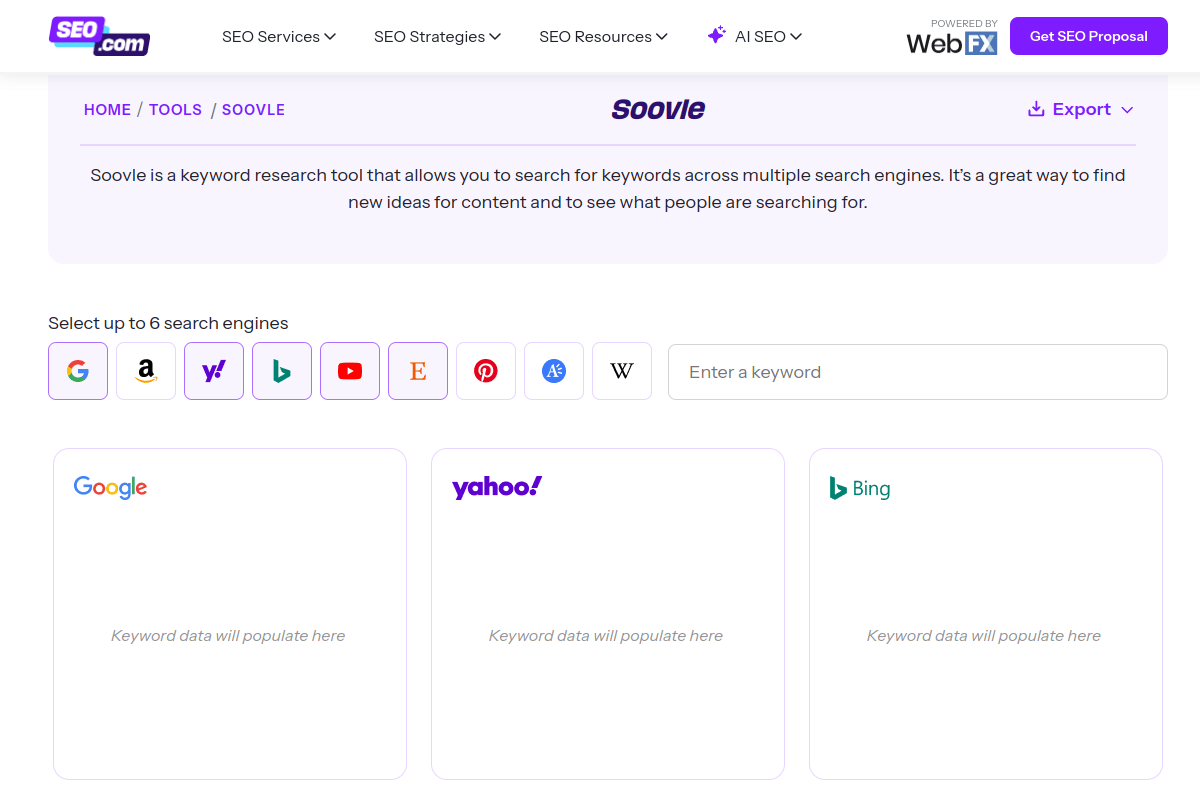
The moment you start typing, suggestions appear from all engines simultaneously. It’s simple, fast, and completely free.
I recommend Soovle especially if you’re a new blogger who doesn’t want to spend money on tools yet. The multi-engine view gives you keyword ideas you won’t find on Google alone — especially Amazon and YouTube suggestions which reveal buyer intent.
What I like:
- Completely free with no limits
- Shows results from 7 platforms at once
- Instant results as you type
- Great for discovering diverse keyword angles
What I don’t like:
- No keyword metrics (volume, difficulty, CPC)
- Can’t export results easily
- Interface looks outdated
Pricing: Free.
* * *
9. LowFruits — Best for Low-Competition Keywords
LowFruits is a keyword research tool that specifically helps you find keywords where the competition is weak. It analyses SERPs and identifies keywords where forums, Reddit threads, or low-authority sites are ranking — meaning you have a real shot at outranking them.
For finding semantic keyword opportunities, LowFruits’ wildcard feature is amazing. You enter a partial phrase with an asterisk (like “best * for SEO”), and it generates dozens of variations from actual search data.
I’ve written about LowFruits alternatives before, but the original tool remains one of the best for new and small websites trying to compete with bigger players.
What I like:
- Identifies weak spots in SERPs
- Wildcard keyword generation
- Credit-based pricing (you pay per use, not monthly)
- Great for new websites targeting easy wins
What I don’t like:
- Credits can run out fast with heavy usage
- Limited features compared to Semrush/Ahrefs
Pricing: Credits-based system starting at $25.
* * *
10. Ultimate Keyword Hunter — Dedicated LSI Keyword Discovery
Ultimate Keyword Hunter has been around for over a decade and is built specifically for finding LSI and semantically related keywords. It supports Google, Bing, and Yandex with language, subdomain, and location targeting options.
What I appreciate about this tool is its simplicity. You enter a keyword, and it gives you a clean list of related terms extracted from search engine results. No fluff, no unnecessary features — just keywords.
What I like:
- Free to use
- Supports multiple search engines
- Location and language targeting
- Simple and straightforward interface
What I don’t like:
- Very basic — no search volume or difficulty data
- Results can be hit or miss for niche topics
Pricing: Free.
* * *
How to Actually Use Semantic Keywords in Your Content
Having a list of semantic keywords is only half the battle. Here’s how I actually use them when writing content:
1. Don’t force keywords. If a related term doesn’t fit naturally in your sentence, skip it. Google’s NLP models are smart enough to understand your content without you stuffing every related term in there.
2. Use them in headings. Your H2 and H3 headings are great places to include semantic keywords. If people are searching “how to find LSI keywords,” make that an H2 in your article.
3. Cover the full topic. The real goal isn’t to include specific keywords — it’s to cover the topic comprehensively. When you write in-depth content, you naturally include related terms without even trying.
4. Check People Also Ask. Google’s PAA box shows you exactly what related questions people have. Include those as sections in your content.
5. Aim for 120-180 words between headings. According to research, pages with this content density receive 70% more citations from ChatGPT and other AI systems. If you want to understand how to get your content cited by AI search engines, check out our guide on getting featured in ChatGPT and Perplexity answers.
If you’re using any digital marketing tools alongside these keyword research tools, you’ll have a solid SEO workflow that covers everything from keyword research to content optimization.
Also, once you’ve published your content, don’t forget to track your rankings. We’ve reviewed the best SERP tracking tools that help you monitor how your keyword-optimized content is performing.
* * *
Which Tool Should You Pick?
Here’s my honest recommendation based on different budgets and needs:
- If you can afford it: Go with Semrush. It’s the most complete tool and worth every rupee. Try it free for 14 days.
- If you want the best data: Ahrefs wins with 28.7 billion keywords and real click data.
- If you’re on a tight budget: Start with Google Keyword Planner + Keyword Sheeter + Soovle. All three are free and together they cover a lot of ground.
- If you run a new blog: LowFruits is the best for finding keywords you can actually rank for. Also check out KWFinder which is more affordable than the big tools.
- If you need content optimization: Surfer SEO is specifically built to help you include the right semantic terms while writing.
* * *
What are LSI keywords in SEO?
LSI (Latent Semantic Indexing) keywords are terms semantically related to your main keyword. While Google doesn’t technically use LSI technology, the concept of using related and contextual terms to make your content more comprehensive remains important for SEO in 2026.
Are LSI keywords still relevant in 2026?
The term “LSI keywords” is outdated, but the concept is more relevant than ever. Google uses advanced NLP models like BERT and Gemini to understand content context. Including semantically related terms helps search engines understand your topic better and can improve rankings.
What is the best free LSI keyword tool?
Google Keyword Planner is the best free tool because it uses actual Google data. For bulk keyword ideas, combine it with Keyword Sheeter and Soovle — all three are completely free and together give you hundreds of related keyword suggestions.
What is the difference between LSI keywords and long-tail keywords?
Long-tail keywords are longer, more specific search phrases (like “best free keyword research tool for beginners”). LSI/semantic keywords are terms related to your main topic by meaning (like “search volume,” “keyword difficulty,” and “SERP analysis” for a keyword research topic). You need both for good SEO.
How many semantic keywords should I use in my content?
There’s no fixed number. Focus on covering the topic comprehensively rather than hitting a keyword count. A well-written 2,000-word article naturally includes 20-50 related terms. Use tools like Surfer SEO to check if you’re missing any important semantic terms.
Did LSIGraph shut down?
No. LSIGraph rebranded to SurgeGraph in January 2023. The tool evolved from a simple LSI keyword generator into a full AI-powered content creation platform with keyword research, content writing, and optimization features.
* * *
Summing Up!
The “LSI keyword” label might be technically outdated, but finding and using semantically related terms in your content is more important than ever in 2026. With Google’s AI models getting smarter and AI search engines like ChatGPT and Perplexity citing comprehensive content more often, covering your topic thoroughly is the best SEO strategy you can follow.
If I had to pick just one tool, I’d go with Semrush for its Keyword Magic Tool and AI-powered clustering. But if you’re just starting out and have zero budget, the combination of Google Keyword Planner, Keyword Sheeter, and Soovle will get you surprisingly far.
Start with any tool from this list, find those related keywords, and write content that genuinely helps your readers. That’s the real secret to ranking — not any specific keyword trick.




