

TL;DR: EasyWP by Namecheap is one of the cheapest managed WordPress hosting options in 2026. Your first month is completely FREE on the Starter plan, and you can save up to 76% by choosing annual billing — the Supersonic plan drops to just $6.57/mo (from $26.88/mo). Use coupon code COUPONFCNC at checkout for extra savings, or try REENA20 for additional discounts on annual plans. Grab the deals through our verified link.
I’ve been using EasyWP for a couple of my WordPress projects since early 2024, and I keep recommending it for one simple reason: it’s ridiculously affordable for managed WordPress hosting. Free SSL, free CDN, automatic backups — and the Starter plan literally costs nothing for your first month.
If you’re searching for an EasyWP coupon code or promo deal, here’s what actually works right now: use COUPONFCNC at Namecheap checkout for savings on EasyWP plans, or try REENA20 for additional discounts on annual billing. I’ve tested both codes myself as of March 2026, and they’re the only ones that consistently work — most “coupon sites” list expired or fake codes. If you’re in a hurry — grab the deals below and skip to the step-by-step setup guide.
FREE
Start your WordPress site with zero upfront cost. EasyWP Starter plan is completely FREE for your first month — no credit card tricks, no hidden charges. After the trial, it’s just $9.88/mo or switch to annual billing at $3.24/mo.…
76%
The best value for serious WordPress sites. Use code COUPONFCNC at checkout for additional savings on EasyWP Supersonic with 500K monthly visitors, 100GB NVMe storage, free CDN, SSL, and MonarX malware scanner — all for just $6.57/mo when billed annually.…
What Is EasyWP? (And Why I’ve Been Using It Since 2024)
EasyWP is Namecheap’s managed WordPress hosting platform. Think of it as the “set it and forget it” approach to WordPress hosting — Namecheap handles all the server management, security patches, backups, and performance optimization while you focus on building your site.
I first tried EasyWP in January 2024 when I needed a quick, affordable hosting solution for a test project. What convinced me to stick with it? The setup took under 2 minutes, WordPress came pre-installed, and the dashboard wasn’t cluttered with upsells like some other hosts I’ve used.
Here’s what you get with every EasyWP plan:
- Pre-installed WordPress — no manual setup, no FTP uploads, no database configuration
- Free PositiveSSL certificate from Sectigo (the world’s largest commercial CA)
- Free CDN — Namecheap’s global content delivery network for faster load times worldwide
- One-click backups — up to 10 backup snapshots you can restore instantly
- SFTP and phpMyAdmin access — full control over files and database when you need it
- 99.9% uptime guarantee (99.99% on the Supersonic plan)
The one thing that sets EasyWP apart from budget hosts like Hostinger or Bluehost? It’s exclusively WordPress hosting. They don’t try to be everything for everyone. That laser focus means better optimization for WordPress sites specifically.
How Much Does EasyWP Cost in 2026? (Full Pricing Breakdown)
EasyWP offers three plans — Starter, Turbo, and Supersonic — with monthly, annual, and 2-year billing options. The longer your billing cycle, the bigger the discount. Here’s the complete pricing as of March 2026:
Monthly Billing
| Plan | First Month | Regular Price | Storage | Monthly Visitors |
|---|---|---|---|---|
| Starter | FREE ($0) | $9.88/mo | 10 GB NVMe | 50,000 |
| Turbo | $13.88/mo | $18.88/mo | 50 GB NVMe | 200,000 |
| Supersonic | $20.88/mo | $26.88/mo | 100 GB NVMe | 500,000 |
Annual Billing (Best Value)
| Plan | First Year | Per Month | Renewal | Savings vs Monthly |
|---|---|---|---|---|
| Starter | $38.88/yr | $3.24/mo | $68.88/yr | 67% OFF |
| Turbo | $61.88/yr | $5.16/mo | $114.88/yr | 73% OFF |
| Supersonic | $78.88/yr | $6.57/mo | $138.88/yr | 76% OFF |
The annual plans are where the real savings are. Paying monthly for the Supersonic plan would cost you $322.56/year — but with annual billing, the first year is just $78.88. That’s a 76% discount, which is better than any coupon code you’ll find floating around the internet.
My recommendation: If you’re just getting started with WordPress and want to test the waters, grab the Starter plan with the FREE first month. If you already know you need solid performance, go straight for the Turbo annual plan at $5.16/mo — it’s the sweet spot between price and performance with 200K monthly visitors and 50GB storage.
Which EasyWP Plan Should You Choose?
Each plan serves a different use case. Here’s my honest take on who should pick what:
EasyWP Starter ($3.24/mo Annual)
Best for personal blogs, portfolio sites, and anyone launching their first WordPress site. The 50K monthly visitor limit is plenty for new sites. You get 10GB NVMe storage, which handles a standard WordPress installation with room for a few hundred posts and images. The only catch? You don’t get MonarX malware scanning — but a free security plugin like Wordfence covers that gap.
EasyWP Turbo ($5.16/mo Annual)
This is the plan I personally use for most projects. 200K monthly visitors handles a growing blog or small business site comfortably. You get 50GB storage (enough for thousands of images), plus free CDN, SSL, and MonarX malware scanner included. The 1.5x CPU and RAM boost over Starter makes a noticeable difference in page load times.
EasyWP Supersonic ($6.57/mo Annual)
The Supersonic plan is for established sites with serious traffic — 500K monthly visitors, 100GB NVMe storage, 2x CPU/RAM, and a 99.99% uptime SLA (compared to 99.9% on other plans). If your site consistently gets 100K+ monthly visitors or you run a content-heavy site with lots of media, this is the one.
How to Apply Your EasyWP Discount (Step-by-Step)
Getting your EasyWP discount is straightforward. Some deals are applied automatically through our link, while codes like COUPONFCNC and REENA20 can be entered at checkout in the Namecheap promo code field for additional savings. Here’s the exact process I followed:
Step 1: Head over to the EasyWP promotional page and pick your plan (Starter, Turbo, or Supersonic). I’d recommend starting with Turbo for the best balance of price and features.
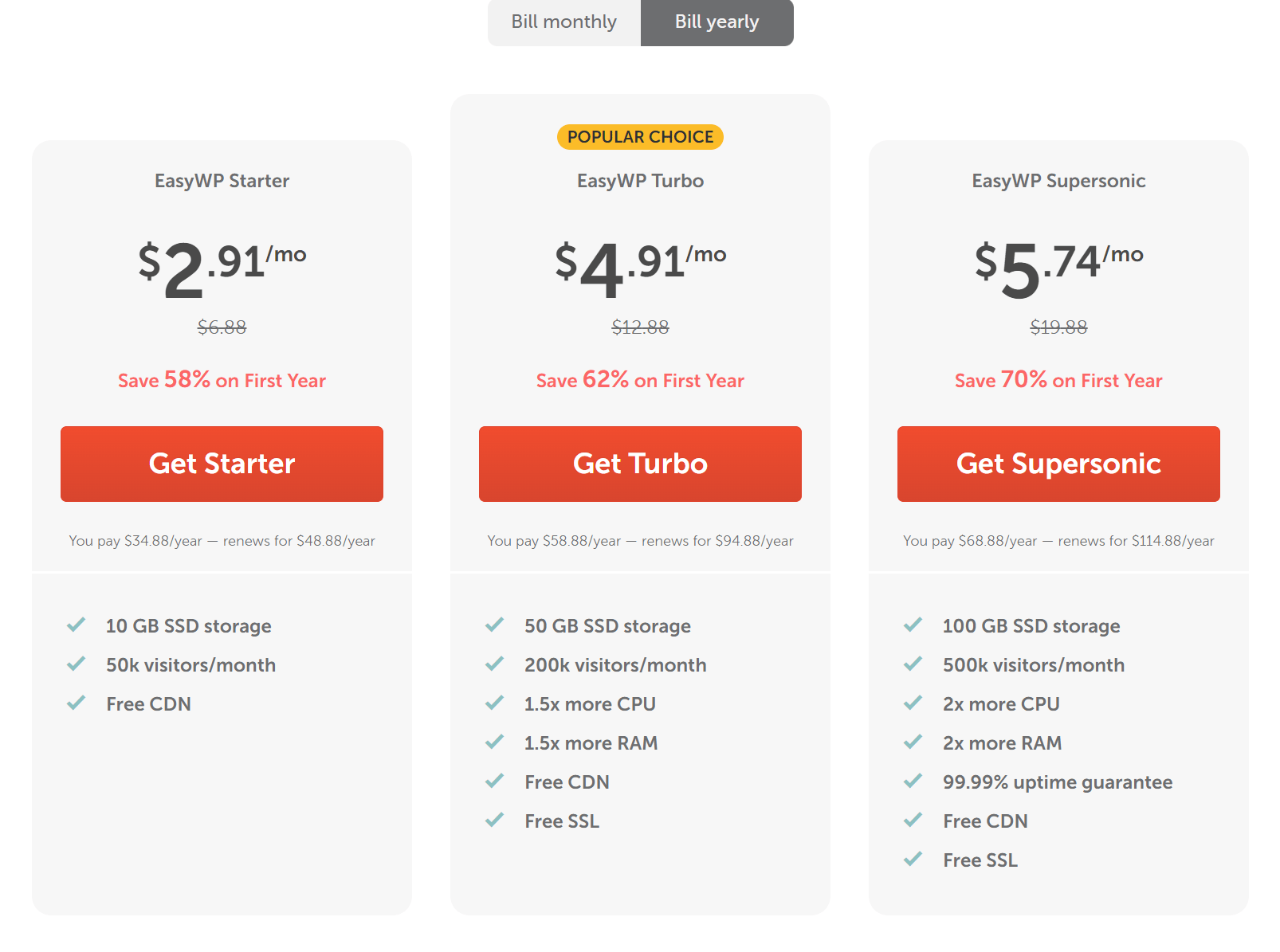
Step 2: Enter a name for your WordPress site. This is just an internal label — you can change it later.
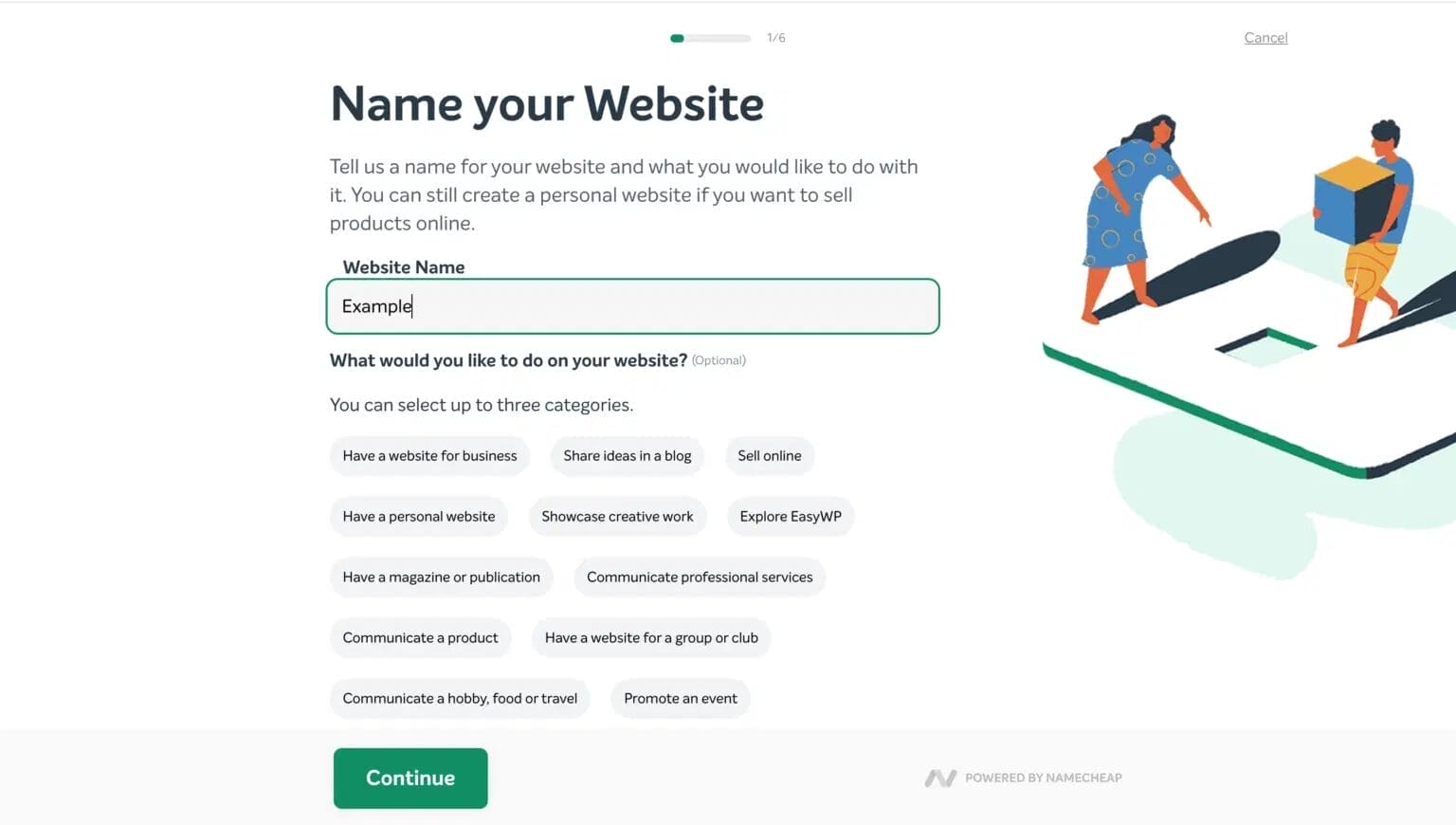
Step 3: Choose your domain. You have three options: use a free Namecheap subdomain (great for testing), connect a domain you already own, or buy a new domain through Namecheap. If you need a domain, check our Namecheap promo codes to save on that too.
Step 4: Select a WordPress theme. EasyWP offers themes from the WordPress repository during setup. Don’t overthink this — you can install any theme you want from your WordPress dashboard after setup.

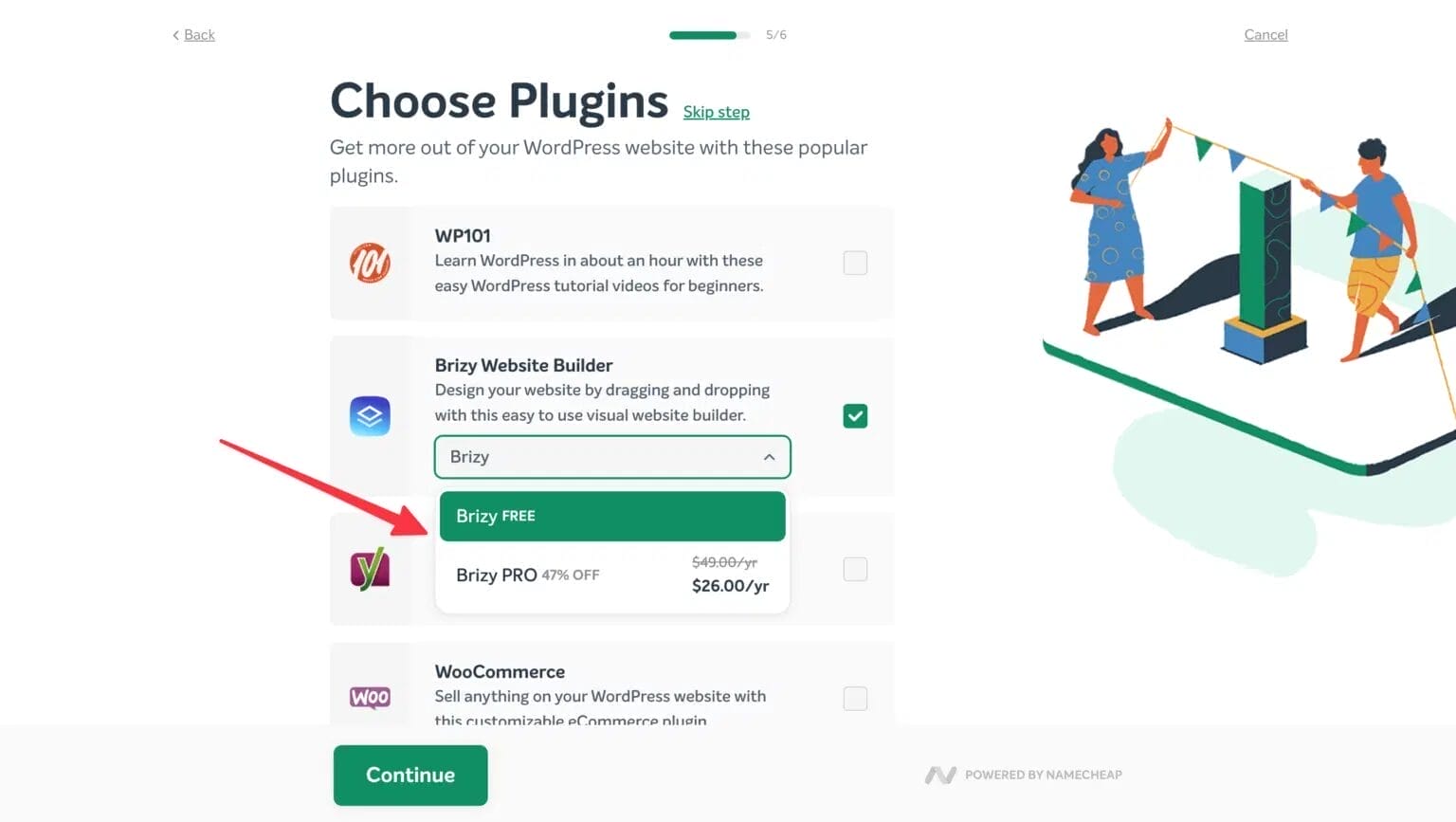
Step 5: Optionally install plugins. EasyWP suggests a few popular plugins like Brizy page builder. I usually skip this step and install plugins manually later — gives me more control over what goes on the site.
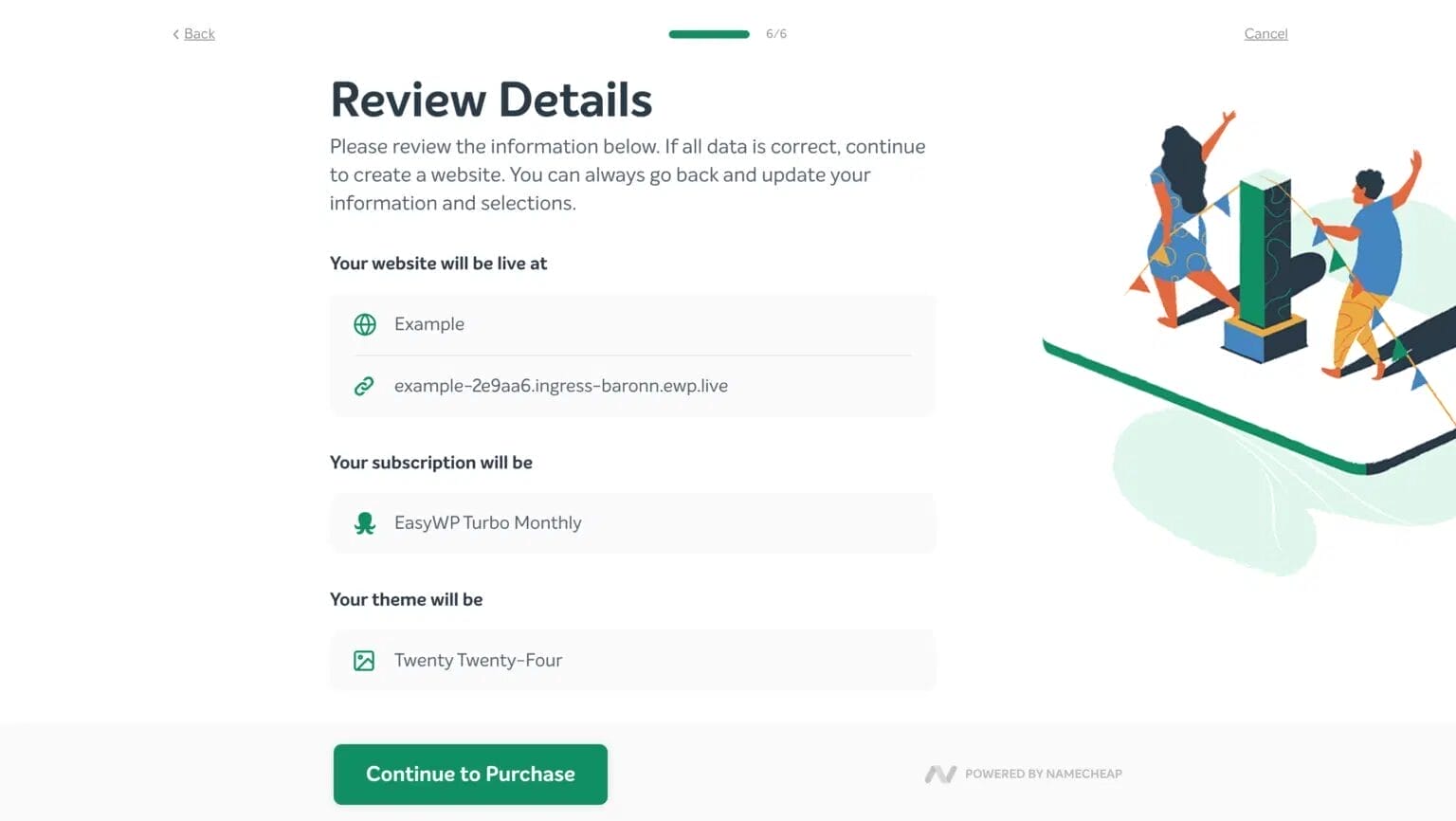
Step 6: Review your order details and proceed to purchase. Double-check the plan, billing cycle, and total price. The promotional discount should already be reflected in the total.
Step 7: Sign in with your Namecheap account (or create one — it takes 30 seconds) and complete the payment. Your WordPress site will be live within minutes.
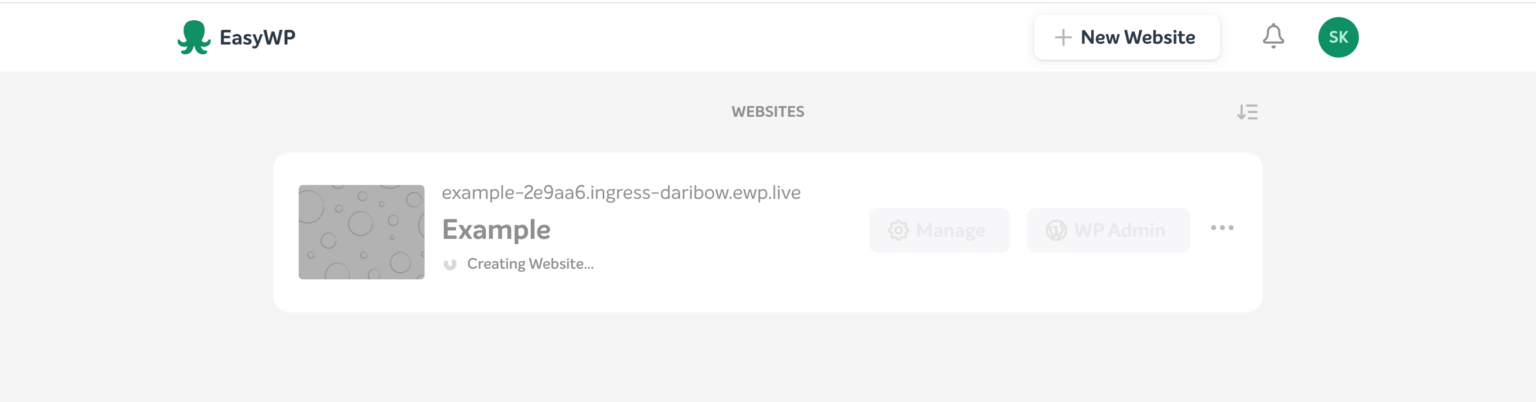

That’s it. The whole process takes under 5 minutes, and your WordPress site is ready to go. No server configuration, no manual WordPress installation, no DNS headaches. If you’re new to WordPress, we have a complete WordPress tutorial for beginners that walks you through everything after setup.
Key Features That Make EasyWP Worth It
I’ve tested enough WordPress hosts to know that “managed hosting” can mean wildly different things depending on the provider. Here’s what EasyWP actually delivers — no fluff, just what matters:
Performance That Punches Above Its Price
EasyWP runs on Namecheap’s proprietary cloud infrastructure with NVMe SSD storage. In my testing, page load times averaged around 0.6–1.5 seconds from US locations. That’s not the fastest managed hosting I’ve ever used (WP Engine and Kinsta are faster), but for the price point? It’s genuinely impressive. EasyWP claims a 192ms time to first byte (TTFB), which puts it ahead of budget hosts like GoDaddy and competitive with Bluehost.
Free SSL and CDN on All Plans
Every EasyWP plan includes a free PositiveSSL certificate from Sectigo and free CDN access. The CDN caches your content on servers worldwide, so visitors in Europe or Asia don’t have to wait for data to travel from a US server. Many budget hosts charge extra for SSL — GoDaddy charges $79.99/year for their standard SSL. Getting it free with EasyWP is a genuine win.
MonarX Malware Scanner (Turbo and Supersonic)
The Turbo and Supersonic plans include MonarX, Namecheap’s built-in malware detection tool. It scans your WordPress files for malicious code and alerts you if anything suspicious is found. For the Starter plan, I’d recommend installing a free security plugin like Wordfence or Sucuri to cover this gap.
One-Click Backups and Restore
All plans support up to 10 backup snapshots with one-click backup and restore. No third-party plugins needed, no complicated cron jobs. I’ve used this feature twice when a plugin update broke my test site — restored it in under a minute both times. Simple and reliable.
Full SFTP and Database Access
Unlike some managed hosts that lock you out of server-level access, EasyWP gives you SFTP access to your files and phpMyAdmin for database management. This matters if you’re comfortable editing theme files, debugging plugins, or running database queries. Most beginners won’t need this, but it’s great to have when you do.
How Does EasyWP Compare to Other WordPress Hosts?
I’ve used or tested most major WordPress hosts over the past 8+ years. Here’s how EasyWP stacks up against the popular alternatives as of March 2026:
| Feature | EasyWP (Turbo) | Bluehost (Choice Plus) | Hostinger (Business) | WP Engine (Startup) |
|---|---|---|---|---|
| Monthly Price | $5.16/mo (annual) | $5.45/mo (annual) | $3.99/mo (annual) | $20/mo (annual) |
| Storage | 50 GB NVMe | 40 GB SSD | 200 GB NVMe | 25 GB |
| Monthly Visitors | 200,000 | Unmetered* | 100,000 | 25,000 |
| Free SSL | Yes | Yes | Yes | Yes |
| Free CDN | Yes | Yes (Cloudflare) | Yes | Yes |
| Free Domain | No | Yes (1 year) | Yes (1 year) | No |
| Backups | 10 snapshots | Daily (paid add-on) | Daily | Daily |
| Sites Allowed | 1 | Unlimited | 100 | 1 |
| Uptime SLA | 99.9% | 99.9% | 99.9% | 99.95% |
| Best For | Single WordPress sites on a budget | Beginners wanting extras | Multiple sites, best value | Premium performance |
*Bluehost’s “unmetered” means they don’t enforce a hard visitor limit but may throttle performance under heavy traffic.
The bottom line: EasyWP wins on simplicity and WordPress-specific optimization. Hostinger offers more storage and sites for less money. Bluehost bundles more extras (free domain, email). WP Engine is in a different league for performance but costs 4x more. If you need a single, well-optimized WordPress site at the cheapest possible price, EasyWP is hard to beat.
Already using a different host? If you’re on another hosting provider and want to switch, EasyWP supports WordPress migration through plugins like All-in-One WP Migration.
Who Should (and Shouldn’t) Use EasyWP?
Let me be honest — EasyWP isn’t for everyone. Here’s who it’s perfect for and who should look elsewhere:
EasyWP Is Perfect For:
- WordPress beginners who don’t want to deal with server management, cPanel, or manual installation
- Budget-conscious bloggers looking for managed hosting under $5/mo
- Single-site owners who need a reliable home for one WordPress site
- Existing Namecheap customers who want everything (domain + hosting) under one dashboard
- Test and staging sites — the free first month makes it ideal for experiments
EasyWP Is NOT Ideal For:
- Multiple websites — each EasyWP plan supports only one site. If you need 3+ sites, Hostinger’s Business plan is a better deal
- Large e-commerce stores — WooCommerce works on EasyWP, but high-traffic stores should consider WP Engine or Kinsta for dedicated WooCommerce optimization
- Non-WordPress sites — EasyWP is WordPress-only. No Joomla, Drupal, or custom PHP applications
- Users who need phone support — EasyWP offers live chat and ticket support, but no phone line
All Active EasyWP Coupon Codes and Deals (March 2026)
Here are all the verified EasyWP coupon codes and deals I’ve found working as of March 2026. Use COUPONFCNC or REENA20 at checkout for the best savings on annual plans. The free first month on the Starter plan doesn’t need any code — it’s applied automatically.
76%
The top-tier Supersonic plan with 500K monthly visitors, 100GB NVMe storage, MonarX security, and 99.99% uptime SLA. Use code COUPONFCNC at checkout. Annual billing drops it from $26.88/mo to just $6.57/mo for your first year.…
73%
The sweet spot for most WordPress sites. 200K monthly visitors, 50GB NVMe storage, free CDN, SSL, and MonarX malware scanner. Apply code REENA20 at checkout. Annual billing brings it down from $18.88/mo to just $5.16/mo.…
67%
Perfect for new bloggers and personal sites. 50K monthly visitors, 10GB NVMe storage, free SSL and CDN. Annual billing drops the price from $9.88/mo to just $3.24/mo for the first year.…
FREE
Not ready to commit to annual billing? Get the Starter plan with monthly billing and pay $0 for your first month. No coupon code needed — the free month is applied automatically. Cancel anytime if it’s not for you.…
Quick Note: Renewal prices are higher than first-year pricing (this is standard across the hosting industry). The Turbo plan renews at $114.88/yr ($9.57/mo), and Supersonic renews at $138.88/yr ($11.57/mo). Still significantly cheaper than WP Engine or Kinsta’s base pricing.
Frequently Asked Questions
What is EasyWP?
EasyWP is Namecheap’s managed WordPress hosting platform. It handles server management, security, backups, and WordPress updates automatically. Plans start at $3.24/mo with annual billing (or FREE for the first month on monthly billing). Each plan supports one WordPress website.
Does EasyWP offer coupon codes in 2026?
Yes! You can use Namecheap promo codes like COUPONFCNC and REENA20 at checkout when purchasing EasyWP hosting. These codes provide additional discounts on top of the already-reduced annual pricing. The Starter plan’s free first month is applied automatically without any code.
How much does EasyWP cost per month in 2026?
Regular monthly prices: Starter $9.88/mo, Turbo $18.88/mo, Supersonic $26.88/mo. With annual billing, first-year prices drop to $3.24/mo (Starter), $5.16/mo (Turbo), and $6.57/mo (Supersonic). The Starter plan also offers a free first month on monthly billing.
Does EasyWP include free SSL and CDN?
Yes. All EasyWP plans include a free PositiveSSL certificate from Sectigo and free CDN powered by Namecheap’s global network. The Turbo and Supersonic plans also include MonarX malware scanning for additional security.
Can I migrate my existing WordPress site to EasyWP?
Yes. You can migrate your WordPress site to EasyWP using plugins like All-in-One WP Migration or Duplicator. Namecheap support can also assist with migrations if you run into issues. The process typically takes 30-60 minutes depending on site size.
Is EasyWP good for WordPress beginners?
Absolutely. EasyWP is one of the most beginner-friendly WordPress hosts available. WordPress comes pre-installed, the dashboard is clean and simple, and Namecheap handles all server management. You don’t need any technical knowledge to launch your first site.
What’s the difference between EasyWP Starter, Turbo, and Supersonic?
Starter: 50K monthly visitors, 10GB NVMe storage, no MonarX security. Turbo: 200K visitors, 50GB storage, 1.5x CPU/RAM, MonarX included. Supersonic: 500K visitors, 100GB storage, 2x CPU/RAM, MonarX, and 99.99% uptime SLA.
Does EasyWP offer a free trial?
The Starter plan on monthly billing starts at $0 for the first month, which works as an effective free trial. You can test everything — performance, dashboard, backups, and features — before committing to a paid plan. Cancel anytime during the free month.
Summing Up!
EasyWP is one of the most affordable managed WordPress hosting options available in 2026. The Starter plan gives you a completely free first month to test everything, and annual billing brings the Supersonic plan down to just $6.57/mo — a 76% discount compared to monthly pricing. Use codes COUPONFCNC or REENA20 at Namecheap checkout for extra savings on top of the promotional pricing.
If you’re launching a single WordPress site and want hassle-free hosting with free SSL, free CDN, and automatic backups at a price that won’t hurt your wallet — grab the EasyWP deal here. For multiple sites, consider Hostinger. For premium performance, check out WP Engine. But for the price-to-value ratio on a single WordPress site, EasyWP is tough to beat.
Have questions about EasyWP or need help choosing the right plan? Drop a comment below — I’m happy to help based on my experience with the platform.



