

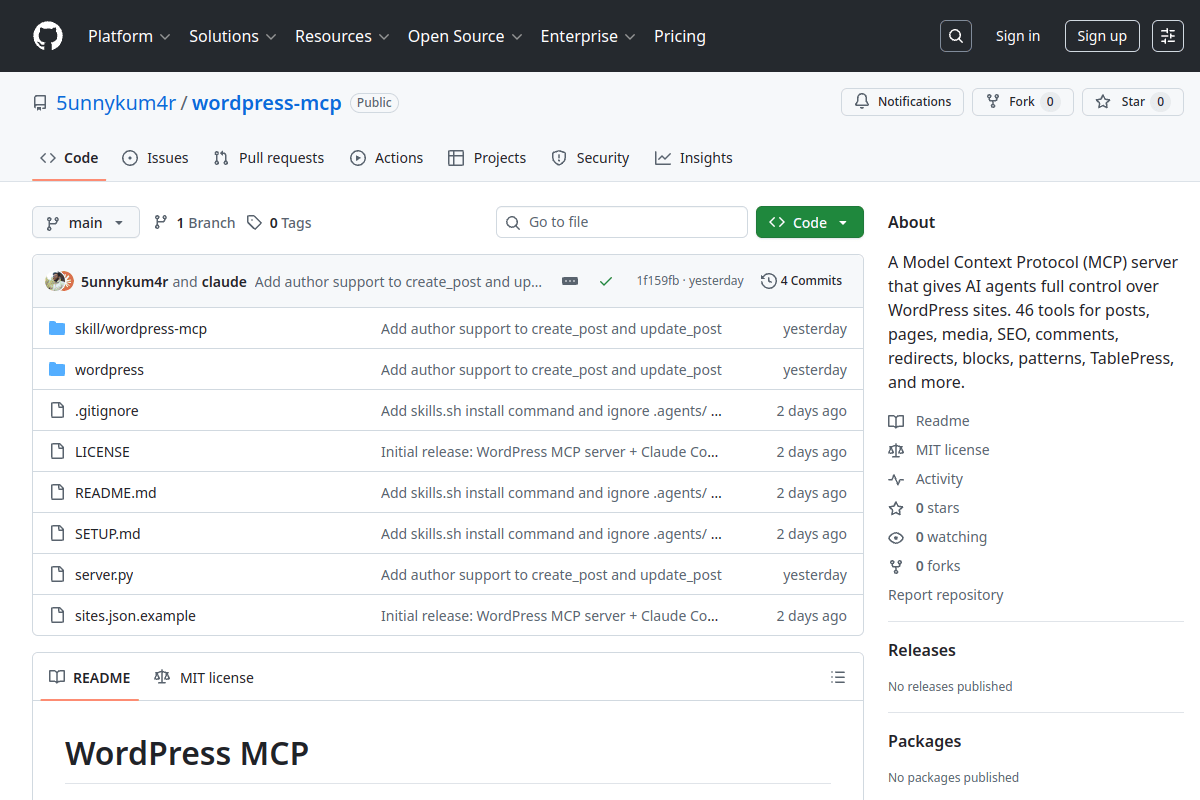
TL;DR: WordPress MCP is an open-source Model Context Protocol server I built that gives AI agents like Claude Code full control over WordPress sites. It has 46 tools covering posts, pages, media, SEO metadata, comments, redirects, Gutenberg blocks, reusable patterns, TablePress tables, plugins, and site settings. One proxy manages unlimited WordPress sites. It also pairs perfectly with Grip AI — our self-hosted AI agent platform.
What Is WordPress MCP?
If you’ve been following the AI space, you’ve probably heard of the Model Context Protocol (MCP) — an open standard that lets AI assistants connect to external tools and data sources. WordPress officially adopted MCP in February 2026 with the release of the MCP Adapter alongside WordPress 6.9.
That official adapter is a great foundation — it exposes WordPress “Abilities” (like core/get-site-info) as MCP tools that AI agents can discover and call. But it’s deliberately minimal. Three built-in abilities, and you need to register more yourself.
I wanted something more complete. I manage multiple WordPress sites and I was spending hours every week on repetitive tasks — updating posts, tweaking Rank Math SEO fields, managing redirects, uploading media, moderating comments. All things an AI agent could do if it had the right tools.
So I built WordPress MCP — a full-featured MCP server with 46 tools that covers virtually everything you’d want to do with a WordPress site.
What Can You Do With 46 Tools?
Here’s a breakdown of every tool category:
| Category | Tools | What You Can Do |
|---|---|---|
| Posts & Pages | 9 | Create, read, update, delete, bulk status changes, revisions, find-and-replace across content |
| Categories & Tags | 8 | Full CRUD with Rank Math SEO metadata on categories |
| Media Library | 4 | Upload images from URL, browse library, update metadata, delete |
| Comments | 3 | List, moderate (approve/spam/trash), reply |
| Redirects | 4 | Rank Math redirect management — 301, 302, 307, 410, 451 |
| Gutenberg Blocks | 1 | Discover all registered block types with attribute schemas |
| Reusable Patterns | 5 | Create, read, update, list, delete synced patterns |
| TablePress | 5 | Full table CRUD with display options and row/column visibility |
| Plugins | 2 | List installed plugins, activate/deactivate |
| Users | 1 | List users with role filtering |
| Settings & Admin | 3 | Read/write options, flush all caches, site info |
| Utility | 1 | List all configured sites |
The Rank Math integration is what I’m most proud of. Every post and category operation supports full Rank Math SEO fields — title, description, focus keyword, canonical URL, robots directives, Open Graph, Twitter cards, schema type, and primary category. You can update a post’s content AND its SEO metadata in a single command.
The find-and-replace tool is another time-saver. Need to update a brand name, fix a broken URL, or change a year across hundreds of posts? One command with dry_run=True to preview, then flip it to False to execute.
How It Works — The Architecture
WordPress MCP uses a proxy-based architecture with two components:
- Python MCP Proxy (runs on your machine) — handles JSON-RPC communication with Claude Code or any MCP-compatible client. Built with FastMCP and httpx.
- WordPress MU-Plugin Adapter (runs on your server) — a lightweight PHP adapter that exposes REST endpoints for the proxy to call. Uses the official WordPress MCP Adapter and Abilities API under the hood.
Authentication uses WordPress Application Passwords — a built-in feature since WordPress 5.6. No extra plugins needed. No OAuth flows to configure. Just generate an application password in your WordPress dashboard and add it to the config file.
The proxy handles all the complexity. Your AI agent just calls tools like create_post(site="myblog", title="My Article", content="...") and the proxy routes it to the right WordPress site.
Multi-Site Management — One Proxy, Unlimited Sites
This is the feature that saves me the most time. A single sites.json config file holds credentials for all your WordPress sites:
{
  "blog": {
    "url": "https://myblog.com/wp-json/mcp/mcp-adapter-default-server",
    "username": "admin",
    "password": "xxxx xxxx xxxx xxxx"
  },
  "shop": {
    "url": "https://myshop.com/wp-json/mcp/mcp-adapter-default-server",
    "username": "editor",
    "password": "yyyy yyyy yyyy yyyy"
  }
}
Every tool call includes a site parameter. Want to create a post on your blog? site="blog". Check comments on your shop? site="shop". No proxy restart needed when adding new sites — just update the JSON file.
I currently manage three WordPress sites through a single WordPress MCP instance. Content updates, SEO audits, redirect management, comment moderation — all from one Claude Code session.
How to Set It Up (3 Steps)
The setup takes about 10 minutes. You need Python 3.10+, uv package manager, and a WordPress site running 5.6 or higher.
Step 1: Install the WordPress Adapter
On your WordPress server, install the MCP adapter plugin:
cd wordpress/
composer install
Upload the vendor/ directory and load-mcp-adapter.php to your site’s wp-content/mu-plugins/ folder. The adapter activates automatically as an MU-plugin.
Step 2: Configure Your Sites
Create a sites.json file with your WordPress site credentials. You’ll need an Application Password — generate one at Users → Profile → Application Passwords in your WordPress dashboard.
Step 3: Connect to Claude Code
Add the MCP server to your Claude Code config (~/.claude.json):
{
  "mcpServers": {
    "wordpress": {
      "type": "stdio",
      "command": "uv",
      "args": [
        "run", "--with", "fastmcp", "--with", "httpx",
        "python", "/path/to/server.py"
      ]
    }
  }
}
Restart Claude Code and you’re connected. All 46 tools appear automatically.
The Skills System — AI That Knows Your Site
WordPress MCP ships with a Claude Code Skills package that teaches your AI agent site-specific context. Install it with:
npx skills add 5unnykum4r/wordpress-mcpSkills are markdown files that contain instructions for your AI agent — things like your site’s content guidelines, SEO requirements, custom block usage, and editorial workflows. When the skill is loaded, your AI agent doesn’t just have tools — it understands how to use them for your specific site.
For example, our TheGuideX skill file includes E-E-A-T requirements, Rank Math SEO field conventions, meta tag best practices, internal linking rules, and post-update ping instructions. When Claude Code writes or updates a post, it follows all of these automatically.
Real Use Cases — What I Actually Do With It
Here’s how I use WordPress MCP on a daily basis:
1. Content Updates at Scale — I recently rewrote 20+ articles for SEO recovery. For each one, I tell Claude Code what to update, it reads the current post via read_post, rewrites the content, sets Rank Math fields, and publishes — all in one conversation.
2. Bulk SEO Audits — I list all posts, check which ones are missing focus keywords or have empty meta descriptions, and fix them in batch. What used to take hours in the WordPress admin takes minutes.
3. Redirect Management — When I restructure URLs or merge posts, I create 301 redirects through the create_redirection tool. No need to open the Rank Math dashboard at all.
4. Comment Moderation — List pending comments, approve the genuine ones, spam the junk — three tool calls instead of clicking through the WordPress admin.
5. Cross-Site Operations — Update the same announcement post across multiple sites, sync category structures, or compare plugin versions — all from one session.
The efficiency gains compound fast. Tasks that used to involve 15 minutes of clicking through the WordPress admin now take one sentence to Claude Code.
How Does This Fit Into the WordPress MCP Ecosystem?
The AI-powered content landscape is moving fast. WordPress recognized this by officially supporting MCP in core.
There are now multiple WordPress MCP projects in the ecosystem:
- WordPress/mcp-adapter (official) — the core adapter that bridges the Abilities API to MCP. Minimal but extensible. Ships with WordPress 6.9.
- Automattic/wordpress-mcp — Automattic’s MCP implementation for WordPress.com sites with OAuth 2.1 support. Being deprecated in favor of the official adapter.
- Our WordPress MCP — a comprehensive 46-tool proxy built on top of the official adapter, designed for self-hosted WordPress sites managed through Claude Code.
Our project complements the official adapter by providing a complete, ready-to-use tool suite. The official adapter gives you the protocol layer; we give you the full set of operations you need for day-to-day site management.
Frequently Asked Questions
Does WordPress MCP work with any AI client, or just Claude Code?
It works with any MCP-compatible client. Claude Code is the primary target, but any tool that supports the Model Context Protocol standard can connect to the proxy server and use all 46 tools. It also works as an MCP server inside Grip AI — our open-source AI agent platform — giving your self-hosted agent full WordPress management capabilities.
Is it safe to give an AI agent access to my WordPress site?
WordPress Application Passwords respect user roles and capabilities. If you create an application password for an Editor account, the AI agent can only do what an Editor can do. You can also create a dedicated user with specific permissions for the MCP connection.
Do I need Rank Math for the SEO features to work?
The SEO metadata tools and redirect management tools require Rank Math to be installed on your WordPress site. All other tools (posts, media, comments, blocks, TablePress, plugins, settings) work with any WordPress installation running 5.6 or higher.
Can I use this with WordPress.com hosted sites?
WordPress MCP is designed for self-hosted WordPress installations where you can install the MU-plugin adapter. For WordPress.com sites, Automattic has their own MCP integration with OAuth 2.1 support built into the platform.
How many WordPress sites can I manage through one proxy?
There’s no hard limit. Add as many sites as you want to sites.json. Each tool call specifies which site to target via the site parameter. The proxy doesn’t need to restart when you add or remove sites.
Summing Up!
WordPress MCP turns your AI assistant into a full WordPress site manager. 46 tools, multi-site support, Rank Math SEO integration, Gutenberg block discovery, and a Skills system that teaches your AI agent your site’s specific conventions.
If you manage WordPress sites and you’re already using Claude Code (or any MCP-compatible client), this saves real time on content updates, SEO audits, and routine admin tasks. Pair it with Grip AI for a fully self-hosted, open-source AI workflow — your agent handles WordPress management while you focus on strategy and content.
The entire project is open-source on GitHub under the MIT license. Set it up, connect your sites, and let your AI agent handle the repetitive work.



