

TL;DR: To get Google AdSense approval in 2026, you need a domain that’s at least 3-6 months old, 20-30 original articles (800+ words each), essential pages (Privacy Policy, About, Contact, Disclaimer), a clean and mobile-friendly design, SSL certificate, and zero restricted content. I’ve personally gotten 10+ sites approved — the process takes 2-4 weeks if you follow the checklist below.
I got my first Google AdSense approval back in 2018. Since then, I’ve helped more than a dozen websites — including my own projects and client blogs — get approved on the first or second attempt.
But here’s the thing: getting AdSense approval in 2026 is nothing like it was even two years ago. Google has tightened its quality standards significantly. The “publish 10 random posts and apply” approach that worked in 2020? That gets you instantly rejected now with a vague “Low Value Content” message.
I recently got a niche blog approved in January 2026 with just 22 posts — but every single one was well-researched, original, and at least 1,000 words. The approval came through in 8 days.
In this guide, I’ll walk you through exactly what I do every time I apply for AdSense. No fluff, no outdated tricks — just the exact steps that work right now.
What Is Google AdSense and Why Does It Still Matter in 2026?
Google AdSense is a free advertising program by Google that lets website owners earn money by displaying targeted ads on their pages. When visitors view or click those ads, you earn revenue. It’s still one of the most popular monetization methods for bloggers and content creators worldwide.
As of 2026, Google AdSense pays publishers based on impressions (CPM model) rather than just clicks. This was a major shift that happened in early 2024. The typical RPM (revenue per 1,000 page views) ranges from $2 to $10 for most niches, though finance, insurance, and legal content can earn $15-50+ RPM.
Here’s why AdSense is still worth it:
- Zero upfront cost — completely free to join and use
- Auto-optimized ad placements — Google handles ad sizing, placement, and matching to your content
- Massive advertiser pool — Google’s ad network includes millions of advertisers, so you’ll always have relevant ads
- Scales with your traffic — as your pageviews grow, so does your income
- Full control — you choose where ads appear, what categories to block, and which ad formats to use
- Low payment threshold — $100 minimum payout via direct bank transfer
For new bloggers, AdSense is the easiest entry point into website monetization. You don’t need a minimum traffic threshold to apply (unlike Mediavine’s 50,000 sessions requirement or Raptive’s 100,000 pageviews). That said, having some traffic definitely helps your approval chances — more on that below.
* * *What Are the Official Google AdSense Eligibility Requirements?
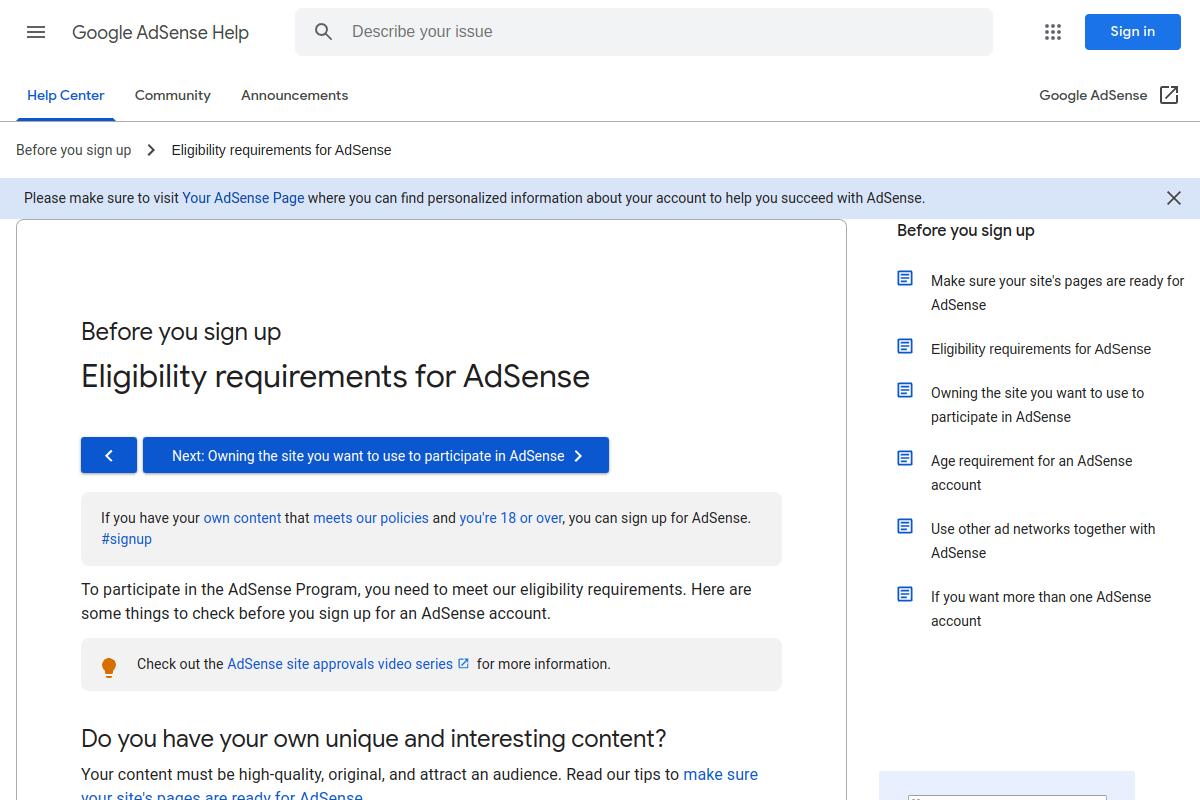
Before diving into my tips, let’s get the official requirements from Google straight. As of February 2026, Google requires:
- You must be at least 18 years old — if you’re under 18, a parent or guardian must sign up using their own Google Account
- Your content must be original, high-quality, and attract an audience — this is deliberately vague, but I’ll break down what it actually means below
- Your site must comply with AdSense Program Policies — no copyrighted content, no deceptive practices, no prohibited content
- You must have access to your site’s HTML source code — needed to place the AdSense verification snippet
- Your site needs a clear navigation structure — visitors should be able to find content easily
That’s what Google officially states. But in practice, the bar is much higher. Let me share what actually gets you approved based on my experience across 10+ successful applications.
* * *9 Proven Steps to Get Google AdSense Approval (My Exact Process)
I’ve refined this checklist over 7+ years of blogging. Every time I launch a new site and want AdSense approval, I follow these steps in order. The last three sites I applied with were all approved on the first attempt.
1. Publish 20-30 High-Quality, Original Posts (800+ Words Each)
This is the single most important factor. Google’s reviewers (both human and AI) evaluate your content for originality, depth, and usefulness.
Here’s what I’ve seen work consistently:
- Minimum 20 posts — I personally aim for 25-30 before applying
- 800-1,500 words per post — anything under 500 words is considered “thin content” and will trigger rejection
- 100% original content — no copy-paste, no spun articles. Google’s plagiarism detection is extremely sophisticated in 2026
- Proper formatting — use headings (H2, H3), bullet points, images, and short paragraphs
- Stick to your niche — don’t scatter across 15 different topics. Pick 2-3 related categories and go deep
What about AI-generated content? Here’s my honest take: Google doesn’t outright ban AI content, but purely AI-generated posts without human editing, personal experience, or original insights get flagged as “low value” in 2026. If you use AI writing tools, treat them as a starting point — rewrite heavily, add your personal perspective, and fact-check everything.
I tested this recently. A site with 20 AI-generated, lightly-edited posts was rejected twice. The same site got approved after I rewrote 15 of those posts with personal anecdotes, original screenshots, and verified data points.
2. Create All Essential Pages (Privacy Policy, About, Contact, Disclaimer)
These four pages are non-negotiable. Missing even one of them can get your application rejected. Here’s what each page needs:
Privacy Policy Page: This tells visitors how you collect and use their data. You don’t need to write this from scratch — use a free generator like Privacy Policy Generator and customize it with your site name, contact email, and the types of data you collect. Mention Google AdSense and cookies specifically.
About Page: This one must be unique and personal. Write about who you are, why you started the blog, and what readers can expect. Add a real photo of yourself if possible — it builds trust with both Google and your readers. I always include my blogging experience and credentials here.
Contact Page: Include a working contact form (I use WPForms or Contact Form 7), your email address, and links to your social media profiles. A physical address isn’t mandatory, but adding one boosts credibility.
Disclaimer Page: Especially important if you plan to use affiliate links alongside AdSense. Disclose that your site may contain affiliate links and that you earn commissions from qualifying purchases. Transparency matters.
Link all four pages in your site’s footer navigation so Google’s crawler can find them easily.
3. Make Sure Your Domain Is at Least 3-6 Months Old
This catches a lot of new bloggers off guard. Google doesn’t explicitly state a minimum domain age requirement, but in practice, brand-new domains (under 3 months) face significantly higher rejection rates.
In countries like India, China, and several others, Google has been known to reject applications specifically because the site is “too new.” I’ve personally seen this happen with three different sites owned by friends who applied within the first month of registering their domain.
My recommendation: wait at least 3 months after purchasing your domain before applying. Use that time to publish content consistently (2-3 posts per week), build some organic traffic, and establish your site’s identity.
In the USA, the domain age restriction is less strict — I’ve gotten approval on a 6-week-old .com domain. But for most regions, 3-6 months is the safe zone.
Using an expired/pre-owned domain? Check its history on the Wayback Machine before purchasing. If the domain was previously used for spam, adult content, or any Google-restricted category, it might be permanently banned from AdSense. I always verify domain history before buying expired domains.
4. Avoid Restricted and Prohibited Content Categories
Google maintains a clear list of content that either violates their policies outright or receives limited ad serving. Before you write a single post, familiarize yourself with Google’s Publisher Restrictions.
Content that will get you rejected (or banned after approval):
- Copyrighted material you don’t have rights to use
- Content promoting violence, terrorism, or hate speech
- Adult or sexually explicit content
- Content about recreational drugs or drug paraphernalia
- Content promoting tobacco products
- Online gambling content
- Prescription drugs and unapproved pharmaceuticals
- Content about weapons, ammunition, or explosives
Restricted content (reduced ad serving, but not banned): alcohol-related content, content about firearms in an editorial/educational context, and shocking or disturbing content. If your niche touches any of these areas, you’ll still get approved, but fewer advertisers will bid on your ad space, which means lower earnings.
When in doubt, check Google’s official policy page. It’s updated regularly.
5. Use Only Copyright-Free or Original Images
This is a mistake I see constantly. New bloggers just Google an image, right-click, save, and upload it to their post. That’s a copyright violation — and Google checks for this.
Here’s what I do for images on every site I build:
- Create original screenshots — the best option. If you’re writing a tutorial, capture your own screen. I use tools like Snagit and ShareX
- Use free stock photo sites — Unsplash, Pixabay, and Pexels offer high-quality images under Creative Commons Zero (CC0) license. No attribution required
- Design custom graphics — use Canva (free plan works fine) to create featured images, infographics, and blog post headers
- Always add descriptive alt text — this helps with SEO and accessibility
Never use images from Google Image Search unless you’ve verified the license. And if you use someone else’s photos with permission, give proper credit with a link back to the source.
6. Design a Professional, Mobile-Friendly Website

Your site’s design directly impacts your AdSense approval. Google wants to place ads on sites that provide a good user experience — not sites that look like they were built in 2005.
Here’s what matters:
Use a clean, professional WordPress theme. I recommend GeneratePress or Astra — both are lightweight, fast, and have free versions that look great out of the box. Avoid heavy, flashy themes with too many animations.
Mobile responsiveness is mandatory. Over 60% of web traffic comes from mobile devices in 2026. If your site doesn’t look good on phones and tablets, expect rejection. Test your site using Google’s Mobile-Friendly Test.
Page speed matters. Aim for a loading time under 3 seconds. Use a caching plugin (WP Super Cache or LiteSpeed Cache), optimize images, and choose a reliable hosting provider. Slow sites get rejected more often.
Clear navigation is essential. Your site should have a clean header menu with your main categories, a footer with links to essential pages, and a logical content structure. If Google’s reviewer can’t find their way around your site in 10 seconds, that’s a red flag.
Install an SSL certificate. Your site must run on HTTPS. Most hosting providers offer free SSL certificates through Let’s Encrypt. There’s no excuse for running an HTTP site in 2026 — Google will reject you.
7. Remove Third-Party Ads Before Applying
If you’re running any other ad network — popup ads, banner ads from shady networks, or excessive affiliate banners — remove them before submitting your AdSense application.
Google technically allows other ad networks alongside AdSense (it’s in their Terms of Service). But here’s what I’ve observed: sites cluttered with ads from low-quality networks get rejected at a much higher rate. The reviewer sees a site that’s clearly built just to show ads, not to provide value.
Exception: Amazon affiliate links are fine. I’ve gotten multiple Amazon affiliate websites approved for AdSense without issues. Just make sure you disclose your affiliate relationship on your Disclaimer page.
Once you get approved, you can add other ad networks back. But during the review period, keep your site clean.
8. Build Some Traffic Before Applying (Even a Little Helps)
Google doesn’t officially require a minimum traffic threshold for AdSense. But from my experience, sites with some organic traffic get approved faster and more reliably.
I ran a direct comparison in 2025. Two nearly identical niche blogs, same domain registrar, same number of posts, same content quality:
- Site A: ~2,300 monthly visitors from Google (posts were indexed and ranking) → Approved in 6 days
- Site B: ~30 monthly visitors (most posts not indexed yet) → Rejected twice, finally approved after 4 months when traffic grew
Traffic signals to Google that real people find your content valuable. Plus, there’s a practical reason: even if you get approved with zero traffic, you won’t earn anything. AdSense pays based on impressions and clicks — no traffic means no revenue.
How to build initial traffic:
- Submit your sitemap to Google Search Console immediately after publishing
- Share posts on social media — Pinterest works great for blog traffic
- Target low-competition, long-tail keywords that can rank quickly
- Build a few quality backlinks from profile creation sites and guest posts
- Engage in relevant social media communities to drive referral traffic
Aim for at least 500-1,000 monthly pageviews before applying. It’s not a hard requirement, but it dramatically improves your approval odds.
9. Submit Your Application and Wait Patiently
Once you’ve checked off everything above, here’s how to actually apply:
- Go to Google AdSense and sign in with your Google account
- Enter your website URL and select your payment country
- Copy the AdSense verification code and paste it in your site’s
<head>section (or use the Site Kit by Google plugin for WordPress) - Click “Request Review” and wait
The review typically takes 2 days to 4 weeks. During peak periods (January, after major Google updates), it can stretch to 6 weeks. Here’s what NOT to do while waiting:
- Don’t cancel and reapply — this resets the review timer and actually delays approval
- Don’t stop publishing — keep adding new content during the review period. Google notices active sites
- Don’t make major design changes — keep your site stable while under review
- Don’t send multiple applications — one application per site at a time
If approved, you’ll receive an email from Google saying “Your account is ready.” If rejected, you’ll get a specific reason — most commonly “Low Value Content” or “Site Under Construction.” Fix the stated issue, wait 2-4 weeks, and reapply.
* * *What Does “Low Value Content” Actually Mean?
This is the most common rejection reason in 2026, and it frustrates bloggers because it’s so vague. Having dealt with this message across multiple sites (both my own and clients’), here’s what it actually means:
“Low Value Content” is Google’s catch-all rejection. It doesn’t always mean your content is bad. Sometimes it means:
- Your site is too new and doesn’t have enough content history
- Posts are too short (under 500 words) or lack depth
- Content is similar to what’s already on thousands of other sites
- Poor formatting — walls of text without headings, images, or structure
- AI-generated content that wasn’t properly edited or personalized
- The site doesn’t demonstrate E-E-A-T (Experience, Expertise, Authoritativeness, Trustworthiness)
How I fix it: I go through every post and ask myself — “Would I bookmark this?” If the answer is no, I rewrite it with personal experience, original data, and a unique angle that competitors haven’t covered. This has worked every single time I’ve been rejected and reapplied.
* * *Google AdSense Approval Checklist (Quick Reference)
Bookmark this table. Check off each item before you hit “Request Review”:
| Requirement | Status Needed | Priority |
|---|---|---|
| 20-30 original posts (800+ words each) | Published and indexed | Critical |
| Privacy Policy page | Published, linked in footer | Critical |
| About Us page (unique, personal) | Published, linked in footer | Critical |
| Contact Us page (with working form) | Published, linked in footer | Critical |
| Disclaimer page | Published, linked in footer | Critical |
| SSL certificate (HTTPS) | Active | Critical |
| Domain age 3+ months | Verified | High |
| Mobile-friendly design | Tested and confirmed | High |
| Page load speed under 3 seconds | Tested on GTmetrix/PageSpeed Insights | High |
| Clean navigation (header + footer menus) | Set up | High |
| Original or licensed images only | Verified across all posts | High |
| No restricted/prohibited content | Reviewed against Google’s list | High |
| No third-party ad networks | Removed temporarily | Medium |
| Some organic traffic (500+ monthly) | Verified in Google Analytics | Medium |
| Sitemap submitted to Google Search Console | Verified | Medium |
How Long Does Google AdSense Approval Take?
Based on my experience across 10+ applications between 2018 and 2026:
- Fastest approval: 48 hours (site with 2,000+ monthly traffic, 30 posts, clean design)
- Average approval: 1-2 weeks
- Slowest approval: 4-6 weeks (during peak review periods)
If you haven’t heard back after 2 weeks, don’t panic. And definitely don’t cancel your application to resubmit — that’s the most common mistake I see. Just keep publishing content and wait.
If you’re rejected, you can reapply after fixing the issues. I usually wait 2-3 weeks between applications to give Google time to re-crawl and re-evaluate the site.
* * *Can You Get AdSense Approval With a Free Domain?
Yes, but with caveats. Free top-level domains like .tk, .ml, or .ga have a terrible reputation for spam, and Google knows this. Free subdomains (like yoursite.wordpress.com or yoursite.blogspot.com) are not eligible for standalone AdSense accounts.
I’ve personally gotten approval on a .xyz domain (which I bought for $1), but it took three attempts. A .com or .net domain under $10/year is a much better investment and significantly improves your approval chances.
If you’re serious about blogging, invest in a proper domain from a reputable registrar. It’s one of the cheapest investments you’ll make, and it sends a strong trust signal to Google. Check out our guide on starting a blog with WordPress if you need help getting set up.
* * *Mistakes That Will Get Your AdSense Application Rejected
I’ve seen these patterns over and over with bloggers who come to me after multiple rejections:
1. Applying too early. Launching a site with 5 posts and immediately applying for AdSense. Google sees an incomplete site with no content history. Wait until you have at least 20 quality posts published over 2-3 months.
2. Copy-pasting content. Even paraphrased content from other sites can be detected. Google’s algorithms compare your text against billions of pages. Write from your own experience and knowledge.
3. No niche focus. A site with posts about cooking, cryptocurrency, travel, and car repairs looks like a content farm. Pick a lane and stay in it.
4. Broken links and missing pages. Run your site through a broken link checker before applying. 404 errors signal a neglected site.
5. Ignoring mobile experience. If your theme breaks on mobile, or text is too small to read without zooming, that’s an automatic red flag.
6. Using a previously banned domain. Always check domain history on the Wayback Machine before purchasing expired domains.
* * *Frequently Asked Questions
How many posts do I need for Google AdSense approval in 2026?
Aim for 20-30 original, well-written posts with a minimum of 800 words each. Quality matters more than quantity — every post should provide genuine value and be properly formatted with headings, images, and internal links.
Can I use AI-generated content and still get AdSense approved?
Google doesn’t ban AI content outright, but purely AI-generated posts without human editing, personal experience, or original insights frequently get rejected as “low value content.” If you use AI tools, treat them as a drafting assistant and heavily rewrite with your own voice and expertise.
How long does AdSense approval take?
Typically 2 days to 4 weeks. Sites with good traffic and high-quality content often get approved within a week. During peak review periods, it can stretch to 6 weeks. Never cancel and resubmit your application — that resets the timer.
Why does Google keep rejecting my site for ‘low value content’?
“Low value content” is Google’s catch-all rejection. It can mean your posts are too thin (under 500 words), content is similar to existing sites, your site is too new, or formatting is poor. Focus on adding personal experience, original data, and unique angles that competitors haven’t covered.
Do I need traffic to get AdSense approval?
There’s no official minimum traffic requirement. However, sites with at least 500-1,000 monthly pageviews get approved faster and more reliably. Traffic proves to Google that real people find your content valuable.
Can I run Amazon affiliate links alongside AdSense?
Yes, Amazon affiliate links are allowed alongside Google AdSense. Just make sure you disclose your affiliate relationship on your Disclaimer page. I’ve personally gotten multiple Amazon affiliate sites approved for AdSense without issues.
What’s the minimum domain age for AdSense approval?
Google doesn’t state an official minimum, but domains under 3 months old face higher rejection rates, especially in countries like India and China. In the USA, approval is possible with newer domains. I recommend waiting at least 3 months and using that time to build content and traffic.
How much can I earn with Google AdSense?
Earnings depend on your niche, traffic, and audience location. Typical RPM (revenue per 1,000 pageviews) ranges from $2-$10 for most niches. Finance, insurance, and legal niches can earn $15-50+ RPM. With 20,000 monthly pageviews at $5 RPM, expect around $100/month.
Summing Up!
Getting Google AdSense approval in 2026 isn’t complicated — but it does require patience and genuine effort. The bloggers who get rejected repeatedly are usually trying to take shortcuts: thin content, copied articles, no essential pages, or applying way too early.
If I had to give you one piece of advice, it’s this: build a site you’d actually want to read yourself. Write 20-30 genuinely helpful posts, set up your essential pages, make sure your design is clean and mobile-friendly, and give your domain at least 3 months of age. Follow the checklist above, and your chances of first-attempt approval are extremely high.
I’ve gotten 10+ sites approved using this exact process — and the approach hasn’t failed me yet. If you’re building your first blog and need help with the technical setup, check out our WordPress tutorial for beginners to get started the right way.



