

TL;DR: Video submission sites are free platforms where you can upload videos and earn backlinks, brand exposure, and referral traffic. I’ve compiled 100+ verified video submission sites below — organized by category with DA scores and link types. YouTube, Vimeo, Dailymotion, and Rumble top the list, but platforms like Odysee, PeerTube, and Archive.org offer unique advantages most people overlook.
I’ve been submitting videos across different platforms since 2016, and here’s what I’ve learned: most “video submission sites lists” floating around the internet are full of dead links, defunct platforms, and sites that haven’t worked in years.
LiveLeak? Shut down in 2021. Vine? Gone since 2017. Yahoo Screen? Dead. Yet you’ll still find these on competitor lists in 2026.
So I went through every single platform, verified which ones are still active, checked their DA scores, and categorized them by what they’re actually useful for. Whether you’re looking to build quality backlinks, increase brand visibility, or drive referral traffic — this is the only list you’ll need.
What Are Video Submission Sites?
Video submission sites are online platforms that let you upload, host, and share video content for free. Think YouTube, Vimeo, Dailymotion — but also dozens of niche platforms most people never consider.
From an SEO perspective, these sites serve three purposes:
- Backlinks — Most platforms let you add your website URL in your profile or video description, creating a backlink (usually nofollow, but still valuable for brand signals)
- Brand visibility — Your videos get indexed by Google, appear in video search results, and show up in Google’s video carousel
- Referral traffic — A well-optimized video on YouTube or Dailymotion can send hundreds of visitors to your website every month
As of June 2026, 82% of all internet traffic is video content (DemandSage). Video results are 50x more likely to rank organically in Google than plain text pages (BrightEdge). If you’re not leveraging video submission as part of your backlink building strategy, you’re leaving traffic on the table.
Why Does Video Submission Still Matter in 2026?
I hear this question a lot: “Are video submission sites still relevant?” The short answer — absolutely. Here’s the data that backs it up:
- 91% of businesses use video as a marketing tool in 2026 (Wyzowl)
- Blog posts with embedded video get 157% more search traffic than text-only posts (BrightEdge)
- Video search results get 41% higher CTR compared to plain text results (Jitendra Vaswani)
- 93% of video marketers report positive ROI from video content (Wyzowl)
- Websites with video see 88% more time spent on page (Forbes)
- 23% of Google search results now feature video content (Jitendra Vaswani)
Beyond raw numbers, video submission helps with something Google cares deeply about in 2026: brand signals. When your brand name appears across YouTube, Vimeo, Dailymotion, LinkedIn, and other high-authority platforms — it sends a strong signal to search engines that you’re a legitimate entity, not just another thin affiliate site.
This is especially important after Google’s recent core updates, which heavily penalize sites lacking E-E-A-T signals.
Best Video Submission Sites — Detailed Reviews
These are the top video submission platforms I’ve personally used and recommend. For each, I’ve included the DA score, link type, upload limits, and what it’s best for.
| # | Platform | DA | Link Type | Best For |
|---|---|---|---|---|
| 1 | YouTube | 99 | Nofollow | General video, SEO |
| 2 | Vimeo | 96 | Nofollow | Creative, professional |
| 3 | Dailymotion | 93 | Nofollow | General video |
| 4 | Facebook Video | 96 | Nofollow | Social engagement |
| 5 | TikTok | 95 | Nofollow | Short-form, virality |
| 6 | Instagram Reels | 93 | Nofollow | Short-form, visual |
| 7 | Rumble | 83 | Nofollow | News, alternative media |
| 8 | Twitch | 93 | Nofollow | Live streaming |
| 9 | LinkedIn Video | 99 | Nofollow | B2B, professional |
| 10 | Archive.org | 94 | Nofollow | Archival, permanent hosting |
1. YouTube
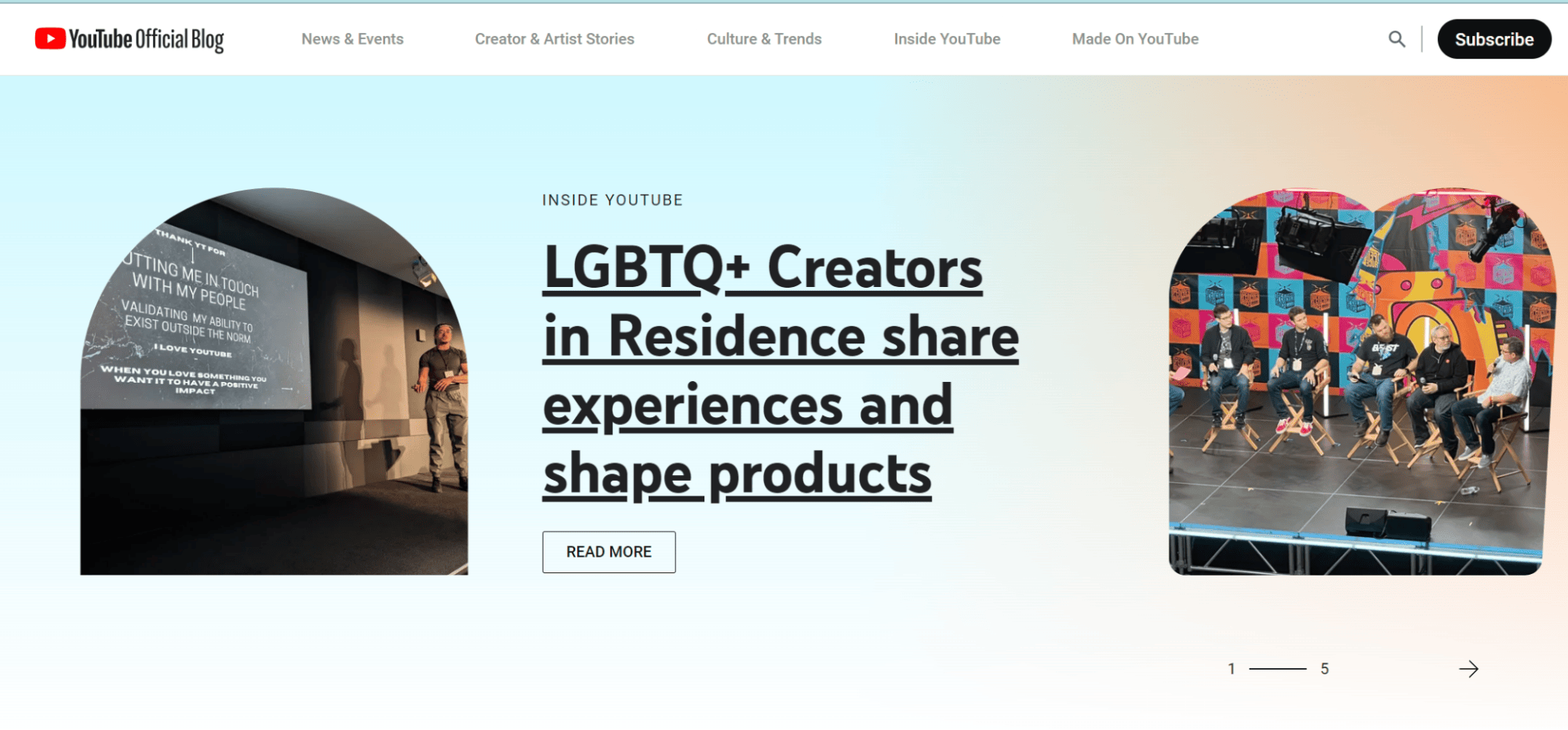
YouTube is the undisputed king of video platforms — and it’s not even close. With over 2.7 billion monthly active users and more than 500 hours of video uploaded every minute, it’s the second-largest search engine in the world after Google itself.
I upload every tutorial, product demo, and review video to YouTube first. The SEO benefits are significant — YouTube videos regularly appear in Google’s main search results, video carousels, and image tabs. Plus, YouTube gives you a DA 99 backlink in your channel’s “About” section and every video description.
Upload Limits: 256 GB or 12 hours (verified accounts), 15 minutes (unverified) | Formats: MP4, MOV, AVI, WMV, FLV, WebM | Storage: Unlimited
Why use it: If you’re only going to submit videos to one platform, make it YouTube. The combination of massive reach, Google integration, monetization options, and comprehensive analytics makes it irreplaceable.
2. Vimeo
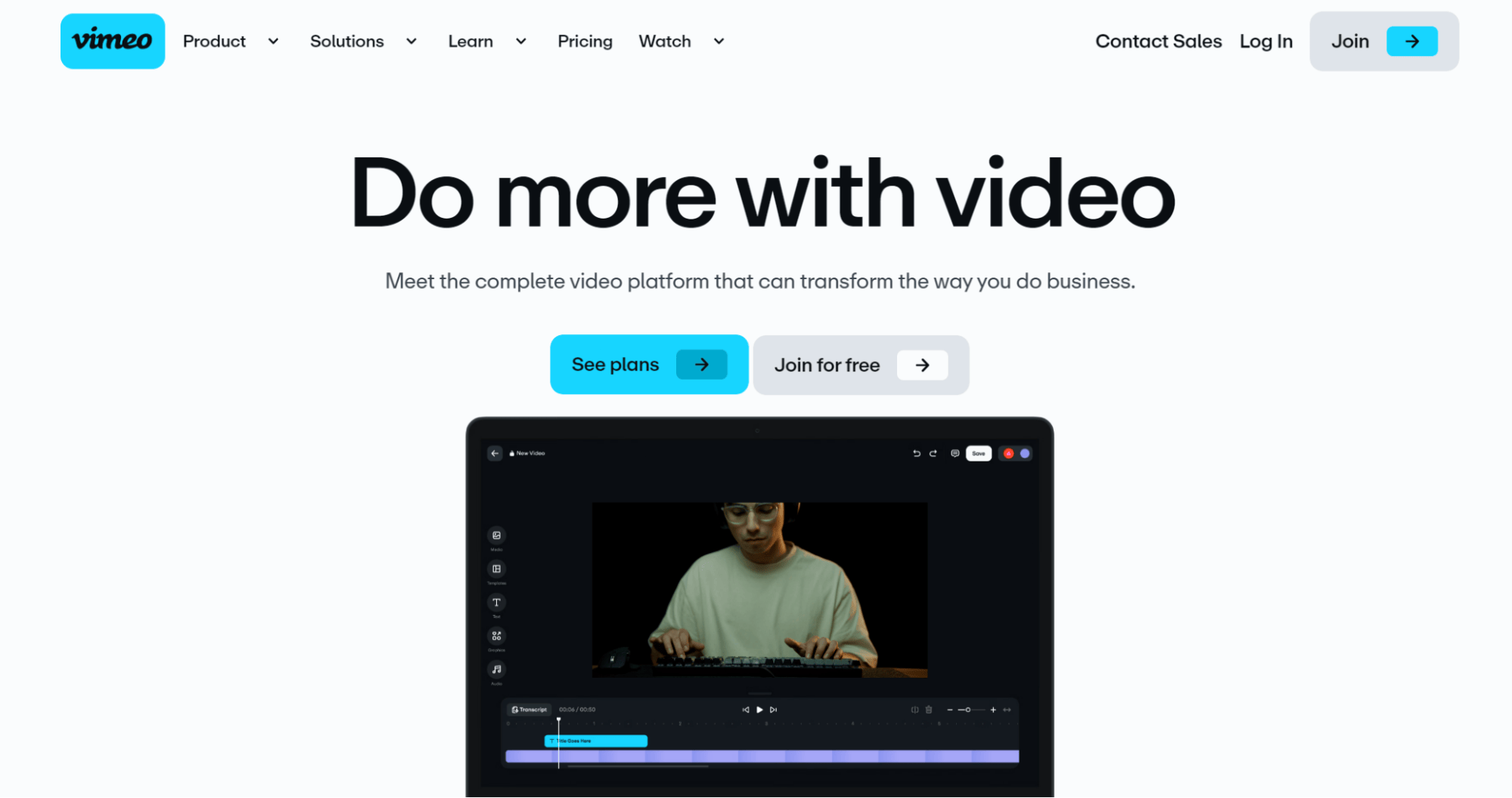
Vimeo has always been the “premium” alternative to YouTube. It’s where filmmakers, designers, and creative professionals host their portfolios. The ad-free experience and superior video quality make it a favorite for business use.
I use Vimeo primarily for embedding product walkthrough videos on client websites. The customizable player (you can match brand colors, remove controls, etc.) looks far more professional than YouTube embeds.
Upload Limits: 500 MB/week (free), 5 GB/week (Plus) | Formats: MP4, MOV, WMV, AVI, FLV | Storage: 1 GB total (free plan)
Why use it: Vimeo’s DA 96 profile backlink, ad-free environment, and privacy controls make it ideal for professional video hosting. The free plan is limited, but it’s enough to build a presence and earn the backlink.
3. Dailymotion
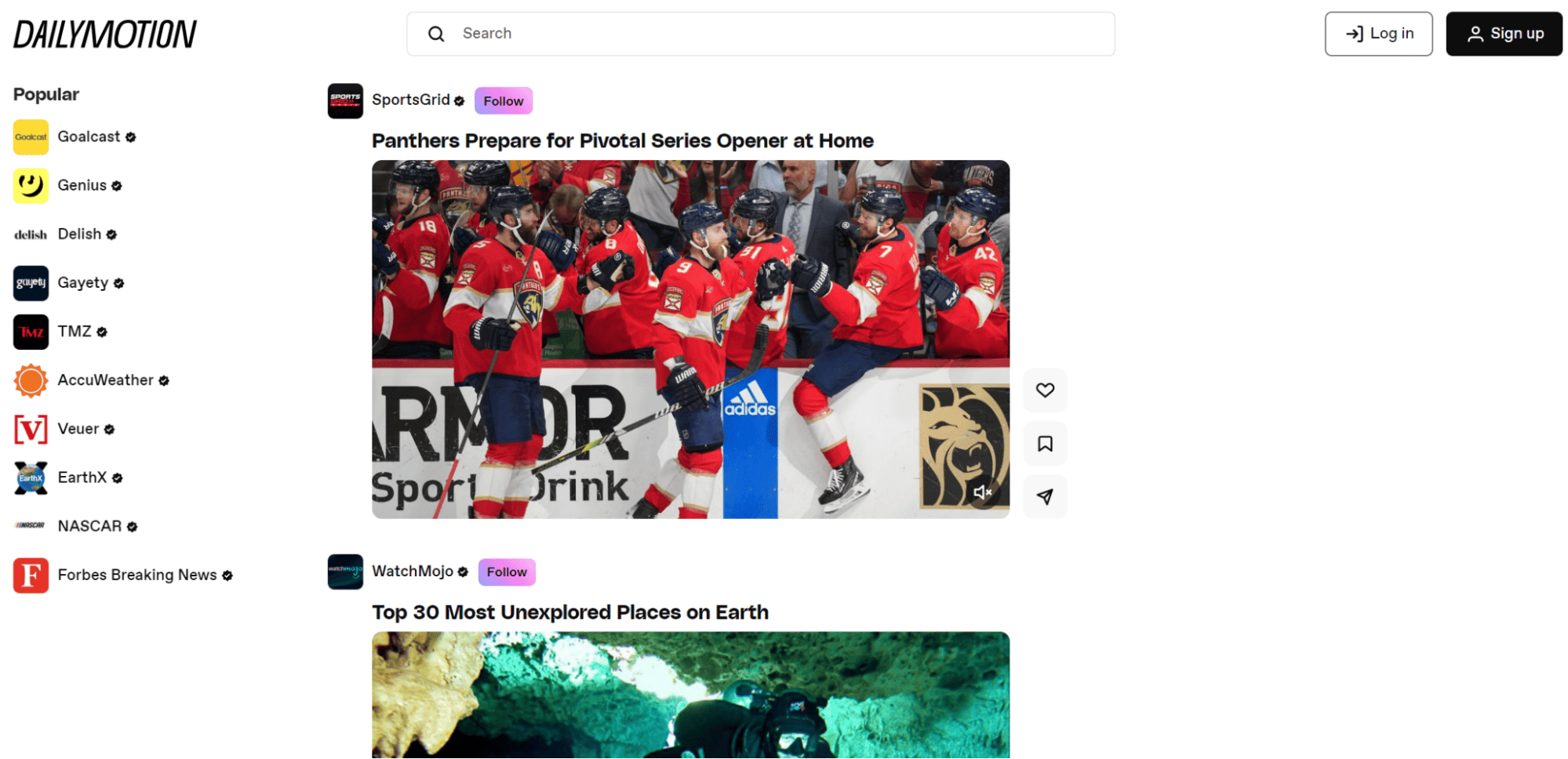
Dailymotion is Europe’s answer to YouTube. Based in France and owned by Vivendi, it gets around 300 million monthly visitors and supports 43 localized versions in 25 languages. It’s particularly strong in Europe and parts of Asia.
What I like about Dailymotion is the lower competition. Your video has a much better chance of ranking within the platform compared to YouTube, where you’re competing against millions of creators for the same keywords.
Upload Limits: 2 GB per video, 60 min duration (free), 96 uploads/day | Formats: MP4, MOV, AVI, WMV, MKV, FLV | Storage: Unlimited
Why use it: Free unlimited storage, solid DA 93 backlink, and strong international reach. If you target audiences outside the US, Dailymotion should be on your list.
4. Facebook Video
Facebook Video (including Reels and Watch) still commands an enormous audience. With 3+ billion monthly active users, any video you upload has the potential to reach a massive audience through shares, comments, and the algorithm’s recommendation engine.
I’ve found Facebook particularly useful for tutorial-style and behind-the-scenes content. The native video upload gets significantly better reach than sharing a YouTube link — Facebook’s algorithm actively deprioritizes external video links.
Upload Limits: 10 GB per video, 240 min duration | Formats: MP4, MOV (recommended), AVI, WMV | Storage: Unlimited
Why use it: Unmatched social reach and engagement potential. The DA 96 brand signal is strong. Best for community-building and driving social proof.
5. TikTok
TikTok has completely changed how people consume video content. With 1.9 billion monthly active users and an average session time of 95 minutes, the virality potential here is unmatched. I’ve seen simple explainer videos go from 0 to 500K views overnight.
For SEO, TikTok’s direct backlink value is limited (nofollow bio link only). But the brand exposure, social signals, and referral traffic can be significant if your content connects with the audience.
Upload Limits: ~287 MB (mobile), 10 GB (desktop), 10 min (mobile), 60 min (desktop) | Formats: MP4, MOV | Storage: Unlimited
Why use it: Highest virality potential of any platform. Best for short-form content, brand awareness, and reaching younger demographics (18-34).
6. Rumble
Rumble has emerged as the fastest-growing YouTube alternative. Originally popular for political and news content, it’s now attracting creators across every niche who want an alternative monetization platform and fewer content restrictions.
What sets Rumble apart is its creator-friendly monetization model. Unlike YouTube’s strict Partner Program requirements, Rumble lets you earn from day one through its licensing model — they’ll even distribute your videos to partner sites for additional revenue.
Upload Limits: 15 GB (standard), 30 GB (Premium), 4 hours duration | Formats: MP4, MOV, WMV | Storage: Unlimited
Why use it: Growing fast, DA 83, easy monetization, and lower competition than YouTube. A strong second platform for any video creator.
7. Twitch
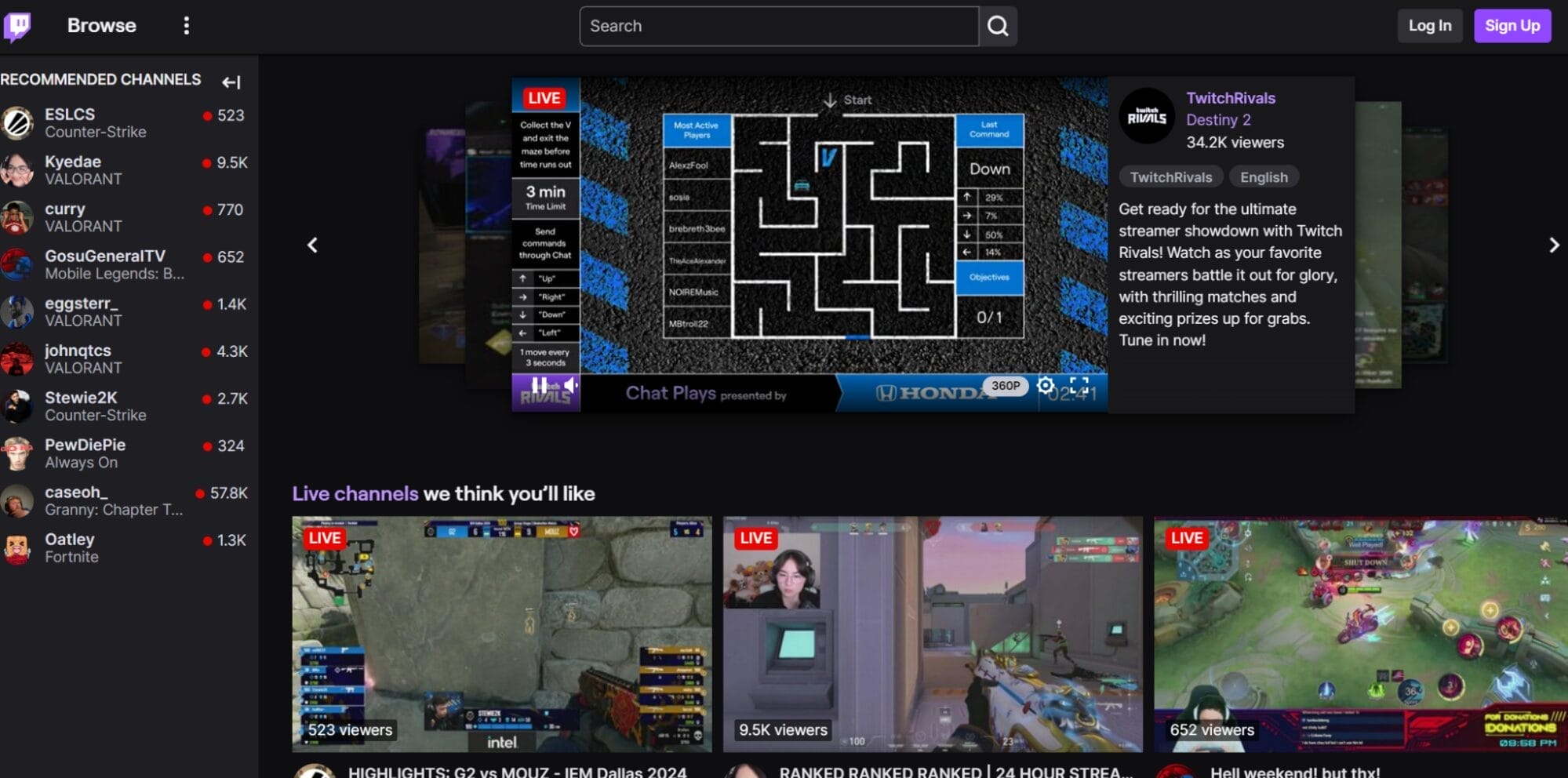
Twitch isn’t just for gamers anymore. While gaming remains its core, the platform now hosts music, art, talk shows, coding streams, and business content. With 140+ million monthly active users and real-time chat interaction, it’s the go-to for live content.
Upload Limits: Live streaming (RTMP), VODs stored 14-60 days | Formats: RTMP stream | Storage: VODs auto-delete
Why use it: DA 93, real-time audience interaction, multiple monetization options (subs, bits, ads). Best for live content creators and community-building.
8. LinkedIn Video
If you’re in B2B, LinkedIn Video should be your top priority. With 1+ billion professionals on the platform, a single well-crafted video can reach decision-makers, generate leads, and establish thought leadership in your industry.
I’ve personally seen LinkedIn native videos get 3-5x more engagement than text posts. The algorithm heavily favors video content right now, so it’s a window of opportunity that won’t last forever.
Upload Limits: 5 GB, 10 min (personal), 15 min (pages) | Formats: MP4, MOV | Storage: Unlimited
Why use it: DA 99 (highest on this list), direct access to professional audiences, and exceptional organic reach for video content. Non-negotiable for B2B marketers.
9. Archive.org
The Internet Archive is an underrated gem for video submission. It’s a non-profit digital library with DA 94, and here’s the best part — there are no upload limits. No file size cap, no duration limit, and your content is permanently stored.
I use Archive.org to host long-form webinar recordings and tutorial series that would eat into Vimeo’s free storage limits. The content is publicly accessible, indexed by Google, and the platform supports practically every video format.
Upload Limits: ~50 GB per file, no duration limit | Formats: Nearly all formats | Storage: Unlimited, permanent
Why use it: Free unlimited permanent hosting, DA 94, and your videos become part of a permanent archive. Best for educational content, webinars, and long-form material.
10. Odysee
Odysee (formerly LBRY) is a decentralized, blockchain-based video platform that’s been gaining serious traction since 2023. It’s built on the LBRY protocol, which means your content is distributed across a peer-to-peer network — no single entity controls it.
The platform rewards creators with LBRY Credits (LBC) based on engagement, giving you a monetization path from your very first upload. Many YouTube creators now cross-post to Odysee as a backup and secondary revenue stream.
Upload Limits: 4 GB per video, no duration limit | Formats: MP4, MOV, AVI | Storage: Unlimited
Why use it: Decentralized hosting, crypto-based monetization, growing community, and DA 68 backlink. Best for creators who want platform independence.
100+ Video Submission Sites List
Here’s the complete list of 100+ verified, active video submission sites as of June 2026. I’ve organized them by category and included DA scores and link types for each. Every site on this list has been manually checked — no dead links, no defunct platforms.
Dedicated Video Platforms
| # | Platform | DA | Link Type | Best For |
|---|---|---|---|---|
| 1 | YouTube | 99 | Nofollow | General video, SEO |
| 2 | Vimeo | 96 | Nofollow | Creative, professional |
| 3 | Dailymotion | 93 | Nofollow | General video |
| 4 | Rumble | 83 | Nofollow | News, alternative media |
| 5 | Veoh | 75 | Nofollow | Long-form video |
| 6 | BitChute | 70 | Nofollow | Free speech, decentralized |
| 7 | Odysee | 68 | Nofollow | Blockchain, decentralized |
| 8 | PeerTube | 65 | Nofollow | Open-source, decentralized |
| 9 | DTube | 55 | Nofollow | Blockchain video |
| 10 | Brighteon | 60 | Nofollow | Health, alternative |
| 11 | Metacafe | 73 | Nofollow | Short entertainment |
| 12 | Viddsee | 50 | Nofollow | Short films (Asia) |
| 13 | GodTube | 55 | Nofollow | Faith, religious |
| 14 | TeacherTube | 55 | Nofollow | Education |
| 15 | Utreon | 45 | Nofollow | Creator-focused |
Social Media with Native Video Upload
| # | Platform | DA | Link Type | Best For |
|---|---|---|---|---|
| 16 | 96 | Nofollow | Social engagement | |
| 17 | Instagram Reels | 93 | Nofollow | Short-form, visual |
| 18 | TikTok | 95 | Nofollow | Short-form, virality |
| 19 | X (Twitter) | 93 | Nofollow | News, conversations |
| 20 | 99 | Nofollow | B2B, professional | |
| 21 | 94 | Nofollow | DIY, visual discovery | |
| 22 | 92 | Nofollow | Community discussions | |
| 23 | Snapchat | 88 | Nofollow | Stories, ephemeral |
| 24 | Tumblr | 89 | Dofollow (some) | Creative, fandom |
| 25 | VK | 96 | Nofollow | Russian/CIS social |
| 26 | OK.ru | 88 | Nofollow | Russian/CIS social |
| 27 | Mastodon | 75 | Nofollow | Fediverse, privacy |
| 28 | Threads | 85 | Nofollow | Conversations, social |
| 29 | Bluesky | 70 | Nofollow | Decentralized social |
| 30 | Gab | 65 | Nofollow | Free speech social |
| 31 | Minds | 65 | Nofollow | Open-source social |
| 32 | MeWe | 60 | Nofollow | Privacy-focused social |
Live Streaming Platforms
| # | Platform | DA | Link Type | Best For |
|---|---|---|---|---|
| 33 | Twitch | 93 | Nofollow | Gaming, live content |
| 34 | Kick | 65 | Nofollow | Gaming, live streaming |
| 35 | Trovo | 55 | Nofollow | Gaming (Asia focus) |
| 36 | DLive | 50 | Nofollow | Blockchain live streaming |
Creative Portfolio & Community
| # | Platform | DA | Link Type | Best For |
|---|---|---|---|---|
| 37 | Behance | 91 | Nofollow | Design portfolio |
| 38 | Dribbble | 92 | Nofollow | Design community |
| 39 | DeviantArt | 88 | Nofollow | Art community |
| 40 | ArtStation | 80 | Nofollow | Professional art |
| 41 | Flickr | 92 | Nofollow | Photography, video |
| 42 | 500px | 80 | Nofollow | Photography |
| 43 | 9GAG | 86 | Nofollow | Entertainment, memes |
| 44 | Coub | 88 | Nofollow | Short video loops |
| 45 | Imgur | 88 | Nofollow | Media sharing |
| 46 | Giphy | 85 | Nofollow | GIFs, short clips |
Educational Video Platforms
| # | Platform | DA | Link Type | Best For |
|---|---|---|---|---|
| 47 | TED | 93 | Nofollow | Educational talks |
| 48 | Archive.org | 94 | Nofollow | Archival, unlimited hosting |
| 49 | Khan Academy | 91 | Nofollow | Education |
| 50 | Coursera | 91 | Nofollow | Online courses |
| 51 | Udemy | 91 | Nofollow | Paid courses |
| 52 | Skillshare | 80 | Nofollow | Creative classes |
| 53 | edX | 85 | Nofollow | Higher education |
| 54 | TeacherTube | 55 | Nofollow | K-12 education |
Music & Audio-Visual
| # | Platform | DA | Link Type | Best For |
|---|---|---|---|---|
| 55 | SoundCloud | 92 | Nofollow | Music, audio |
| 56 | Bandcamp | 88 | Nofollow | Independent music |
| 57 | ReverbNation | 75 | Nofollow | Musicians, bands |
| 58 | Mixcloud | 80 | Nofollow | DJ mixes, radio |
Content Publishing Platforms (Video Support)
| # | Platform | DA | Link Type | Best For |
|---|---|---|---|---|
| 59 | Medium | 95 | Nofollow | Blog + video embed |
| 60 | WordPress.com | 93 | Nofollow | Blog + video hosting |
| 61 | Blogger | 98 | Nofollow | Blog + video embed |
| 62 | Substack | 85 | Nofollow | Newsletter + video |
| 63 | SlideShare | 90 | Nofollow | Presentations |
| 64 | Issuu | 88 | Nofollow | Digital publications |
| 65 | HubPages | 85 | Nofollow | Articles + video |
| 66 | Hashnode | 70 | Nofollow | Developer blogging |
Professional Video Hosting
| # | Platform | DA | Link Type | Best For |
|---|---|---|---|---|
| 67 | Wistia | 82 | Nofollow | Business video hosting |
| 68 | Vidyard | 65 | Nofollow | Sales, marketing video |
| 69 | SproutVideo | 45 | Nofollow | Business hosting |
| 70 | Loom | 75 | Nofollow | Screen recording |
| 71 | ScreenPal | 70 | Nofollow | Screen recording |
| 72 | Streamable | 72 | Nofollow | Quick video sharing |
| 73 | VideoPress | 50 | Nofollow | WordPress video |
| 74 | JW Player | 70 | Nofollow | Enterprise video |
| 75 | Panopto | 60 | Nofollow | Enterprise, education |
Regional Video Platforms
| # | Platform | DA | Link Type | Best For |
|---|---|---|---|---|
| 76 | Bilibili | 75 | Nofollow | Chinese video (anime, gaming) |
| 77 | Niconico | 80 | Nofollow | Japanese video |
| 78 | Rutube | 70 | Nofollow | Russian video |
| 79 | Naver TV | 85 | Nofollow | Korean video |
| 80 | Youku | 75 | Nofollow | Chinese video |
Short-Form & Mobile Video Apps
| # | Platform | DA | Link Type | Best For |
|---|---|---|---|---|
| 81 | Likee | 65 | Nofollow | Short videos (global) |
| 82 | Triller | 55 | Nofollow | Music videos |
| 83 | Kwai | 60 | Nofollow | Short videos (LATAM) |
| 84 | ShareChat | 55 | Nofollow | Indian social video |
| 85 | Moj | 50 | Nofollow | Indian short videos |
| 86 | Josh | 45 | Nofollow | Indian short videos |
| 87 | Chingari | 40 | Nofollow | Indian short videos |
| 88 | Roposo | 45 | Nofollow | Indian video sharing |
| 89 | Clapper | 40 | Nofollow | Short-form (35+ audience) |
Video Creation & Sharing Tools
| # | Platform | DA | Link Type | Best For |
|---|---|---|---|---|
| 90 | Kapwing | 70 | Nofollow | Edit and share |
| 91 | WeVideo | 65 | Nofollow | Cloud video editing |
| 92 | InVideo | 60 | Nofollow | Marketing videos |
| 93 | Animoto | 65 | Nofollow | Slideshow/promo videos |
| 94 | Canva | 92 | Nofollow | Design + video creation |
| 95 | Veed.io | 65 | Nofollow | Online video editor |
| 96 | Clipchamp | 65 | Nofollow | Microsoft video editor |
Podcast & Webinar Platforms (Video Support)
| # | Platform | DA | Link Type | Best For |
|---|---|---|---|---|
| 97 | Spotify for Podcasters | 93 | Nofollow | Video podcasts |
| 98 | Buzzsprout | 70 | Nofollow | Podcast hosting |
| 99 | Podbean | 70 | Nofollow | Video podcasts |
| 100 | Spreaker | 75 | Nofollow | Live audio/video |
Bonus: Niche & Emerging Platforms
| # | Platform | DA | Link Type | Best For |
|---|---|---|---|---|
| 101 | Sendvid | 40 | Nofollow | Anonymous video sharing |
| 102 | Clideo | 60 | Nofollow | Video tools + sharing |
| 103 | Firework | 55 | Nofollow | Shoppable short video |
| 104 | İzlesene | 55 | Nofollow | Turkish video |
| 105 | Aparat | 60 | Nofollow | Iranian video |
DA scores are approximate values as of June 2026 based on Moz data. These fluctuate over time. All platforms listed were verified as active and accepting free video uploads at the time of writing.
Which Video Submission Sites Are Best for Your Use Case?
Not all video submission sites serve the same purpose. Here’s a quick breakdown based on what you’re trying to achieve:
Best for SEO & Backlinks
YouTube, Vimeo, Dailymotion, Archive.org, Rumble — These platforms have the highest DA scores, their pages get indexed by Google quickly, and the video descriptions provide solid backlink opportunities. YouTube videos also appear directly in Google search results, giving you a second chance to rank for your target keywords.
Best for B2B & Professional Content
LinkedIn Video, Wistia, Vimeo, Vidyard — LinkedIn’s algorithm heavily promotes native video right now (2-3x reach of text posts). Wistia and Vidyard offer advanced analytics and lead capture forms, making them ideal for sales teams.
Best for Short-Form & Virality
TikTok, Instagram Reels, YouTube Shorts, Snapchat — If your goal is maximum reach and brand awareness, short-form video is where the attention is. TikTok’s algorithm doesn’t care how many followers you have — good content gets pushed to the For You Page regardless.
Best for Education & Tutorials
YouTube, Archive.org, TED, Khan Academy, Udemy — YouTube is the obvious choice for tutorial content (it’s the world’s second-largest search engine for “how to” queries). Archive.org is great for webinars and course material that needs permanent hosting.
Best for Creative & Design Portfolios
Vimeo, Behance, Dribbble, ArtStation, DeviantArt — Vimeo’s ad-free, high-quality player is the standard for creative portfolios. Behance and Dribbble attract clients and employers who are specifically looking for creative talent.
Best for Decentralized / Platform Independence
Odysee, PeerTube, BitChute, DTube, DLive — If you’re worried about deplatforming or want true ownership of your content, these blockchain and peer-to-peer platforms give you independence from Big Tech. Odysee is the most polished of the bunch.
Upload Limits & Format Comparison
One of the most practical things to know before submitting videos is what each platform actually allows. Here’s a side-by-side comparison of the major platforms:
| Platform | Max File Size | Max Duration | Free Storage | Key Formats |
|---|---|---|---|---|
| YouTube | 256 GB | 12 hrs (verified) | Unlimited | MP4, MOV, AVI, WebM |
| Vimeo (Free) | 500 MB/week | No limit | 1 GB total | MP4, MOV, WMV |
| Dailymotion | 2 GB | 60 min | Unlimited | MP4, MOV, AVI, MKV |
| 10 GB | 240 min | Unlimited | MP4, MOV | |
| TikTok | 10 GB (desktop) | 60 min (desktop) | Unlimited | MP4, MOV |
| Rumble | 15 GB | 4 hrs | Unlimited | MP4, MOV, WMV |
| Twitch | N/A (live) | Unlimited | VODs: 14-60 days | RTMP stream |
| Archive.org | ~50 GB | No limit | Unlimited | Nearly all formats |
| 650 MB | 90 sec (Reels) | Unlimited | MP4, MOV | |
| 5 GB | 10-15 min | Unlimited | MP4, MOV |
My recommendation: Always export your videos in MP4 (H.264 codec) — it’s universally supported across every platform. For resolution, 1080p is the sweet spot between quality and file size.
Dofollow vs. Nofollow — What Do You Actually Get?
Let me be honest about something most “video submission” articles gloss over: nearly every major video platform uses nofollow links.
YouTube? Nofollow. Vimeo? Nofollow. Dailymotion? Nofollow. Facebook, TikTok, LinkedIn — all nofollow.
The only notable exception is Tumblr, which passes dofollow links on some blog post content.
But here’s the thing — nofollow links from high-DA video sites are still extremely valuable. Here’s why:
- Brand signals — Google uses your presence across multiple platforms to verify that you’re a real entity. This is a key part of E-E-A-T evaluation
- Referral traffic — A well-optimized YouTube video can send hundreds of visitors per month to your website. This traffic is genuine, engaged, and sends positive user signals back to Google
- Link profile diversity — A natural backlink profile includes links from social media, video platforms, forums, and directories. All-dofollow profiles look suspicious to Google (Web 2.0 sites help with this too)
- Indexing signal — Google treats nofollow as a “hint” since 2020. High-authority nofollow links can still pass some value
- Video indexing — Google indexes video content separately. Your YouTube or Vimeo video can rank in Google’s video tab, driving traffic to your channel (and from there, to your website)
Bottom line: don’t skip video submission just because the links are nofollow. The compound SEO benefit goes far beyond raw link juice.
Dead Sites to Skip (Still Listed by Competitors)
I checked the top-ranking “video submission sites” articles, and almost every single one still includes platforms that have been dead for years. Here’s a list of commonly recommended sites you should NOT waste time on:
| Dead Platform | Status | When It Died |
|---|---|---|
| LiveLeak | Permanently shut down | May 2021 |
| Vine | Shut down by Twitter | January 2017 |
| Yahoo Screen | Service discontinued | 2016 |
| Break.com | Domain dead | ~2020 |
| Vube | Domain inactive | ~2018 |
| ZippCast | Never launched fully | ~2015 |
| 5min | Acquired and shut down | 2014 |
| AOL Video | Service discontinued | ~2019 |
| Buzznet | Pivoted, no video uploads | ~2018 |
| Viddler | Enterprise only, no free tier | ~2019 |
| Ustream | Absorbed into IBM Video | 2017 |
| Brightroll | Absorbed into Verizon Media | 2019 |
If you see any of these on a “video submission sites list” — it’s a red flag that the article hasn’t been updated or properly verified. Don’t waste your time creating accounts on dead platforms.
How to Submit Videos for Maximum SEO Impact
Uploading a video is easy. Making it work for SEO takes a bit more thought. Here’s my step-by-step process for video submission that I follow for every upload:
Step 1: Optimize Before Uploading
- File name matters — Rename your video file to include the target keyword before uploading.
best-wordpress-themes-2026.mp4is better thanvideo_final_v3.mp4 - Create a custom thumbnail — Videos with custom thumbnails get 30% more clicks. Use a 1280×720 image with clear text and a face (if applicable)
- Write your title and description in advance — Include the primary keyword in the first 60 characters of the title and first 2 lines of the description
Step 2: Fill Out Every Field
- Title — Keyword-rich, compelling, under 70 characters
- Description — 200+ words with your target keyword, related keywords, timestamps, and a link to your website in the first 2 lines
- Tags/Keywords — Use 8-12 relevant tags per video (mix of broad and specific)
- Category — Choose the most relevant category on the platform
- Subtitles/Captions — Upload an SRT file. This improves accessibility and gives search engines more text to index
Step 3: Complete Your Channel Profile
This is where most people leave value on the table. On every platform, fill out:
- Profile picture and banner image
- Bio/about section with your website URL
- Social media links
- Contact information
A complete profile signals legitimacy to both the platform’s algorithm and search engines. It’s also where your backlink lives — so make sure that website URL is there. This is similar to the approach I recommend in my profile creation sites guide.
Step 4: Cross-Post Strategically
Don’t just upload to one platform and call it a day. Here’s my distribution strategy:
- YouTube — Full video (primary platform)
- Vimeo + Dailymotion — Same full video for additional backlinks
- TikTok + Instagram Reels — 30-60 second clips highlighting the best parts
- LinkedIn — Re-cut with a professional angle if applicable
- X (Twitter) — 2-minute teaser with a link to the full video
- Blog post — Embed the YouTube video in a relevant article on your website
This approach multiplies your reach without creating entirely new content for each platform.
Step 5: Embed Videos on Your Website
After uploading to YouTube or Vimeo, embed the video on your website’s relevant blog posts. This creates a virtuous cycle:
- The embedded video increases time-on-page (which Google measures as an engagement signal)
- Your blog post can rank in both regular search AND video search results
- The video gets additional views from your website traffic, which boosts its ranking on YouTube
According to BrightEdge, blog posts with embedded video get 53x higher likelihood of ranking on Google’s first page.
Common Mistakes to Avoid
I’ve made most of these mistakes at some point. Learn from my experience:
- Uploading the same video with the same title everywhere — This triggers duplicate content signals. Change the title and description slightly for each platform
- Ignoring thumbnail design — A bad thumbnail kills your CTR regardless of how good the video is. Invest 10 minutes in designing a proper thumbnail for every upload
- Submitting to every site at once — Google notices sudden spikes in backlinks. Space out your submissions over days, not minutes
- Empty descriptions — Every blank description field is a missed SEO opportunity. Write at least 200 words per video description
- Spamming links in video descriptions — One or two relevant links to your website is fine. Stuffing 10 links makes you look spammy and platforms may restrict your account
- Low-quality video — Blurry, poorly lit, or badly edited videos reflect poorly on your brand. At minimum, shoot in 1080p with decent audio
- Not creating accounts on dead platforms — Check that the site is actually active before spending time on it (see the Dead Sites section above)
- Skipping the profile setup — The profile is where your backlink lives. An incomplete profile with no website URL defeats the entire purpose
Frequently Asked Questions
What is video submission in SEO?
Video submission is the process of uploading your videos to third-party platforms like YouTube, Vimeo, and Dailymotion to earn backlinks, increase brand visibility, and drive referral traffic to your website. Most platforms let you include your website URL in the video description or channel profile, creating a backlink.
Are video submission sites still relevant in 2026?
Yes. 82% of all internet traffic is video content in 2026, and blog posts with embedded video get 157% more search traffic than text-only posts. Video submission builds brand signals, diversifies your link profile, and can drive significant referral traffic — all of which Google values for ranking.
Do video submission sites give dofollow backlinks?
Almost all major video platforms (YouTube, Vimeo, Dailymotion, Facebook, TikTok) use nofollow links. Tumblr is a notable exception that passes dofollow links on some content. However, nofollow links from high-DA platforms still provide significant SEO value through brand signals, referral traffic, and link profile diversity.
How many video submission sites should I use?
Start with the top 5 platforms (YouTube, Vimeo, Dailymotion, Facebook, and LinkedIn). Once you have a consistent presence there, expand to 10-15 niche-relevant platforms. Quality and consistency matter more than quantity — 10 well-maintained channels beat 50 abandoned ones.
Which is the best video submission site for business?
LinkedIn Video is the best for B2B content — it has DA 99 and direct access to professional decision-makers. For general business use, YouTube remains the most impactful due to its massive reach, Google integration, and monetization options. Wistia and Vidyard are excellent for sales-focused video hosting.
What is the difference between video submission and video sharing?
Video submission specifically refers to uploading videos to platforms for SEO benefits (backlinks, indexing, brand signals). Video sharing is broader — it includes any act of distributing video content, such as sharing a YouTube link on Twitter or embedding a video in a blog post. In practice, both contribute to your overall video marketing strategy.
Can I earn money from video submission sites?
Yes. YouTube (Partner Program), Rumble (licensing model), Twitch (subscriptions and bits), Odysee (LBRY credits), TikTok (Creator Fund), and Facebook (in-stream ads) all offer monetization options. Requirements vary — YouTube needs 1,000 subscribers and 4,000 watch hours, while Rumble lets you monetize from day one.
How to submit videos for backlinks effectively?
Rename your video file with a keyword-rich name, write unique titles and descriptions (200+ words) for each platform, include your website URL in the first 2 lines of every description, complete your channel profile fully, and upload a custom thumbnail. Space submissions across multiple days to avoid looking spammy.
What video format is best for submission?
MP4 with H.264 codec is universally accepted across all video submission platforms. Record in 1080p (1920×1080) for the best balance of quality and file size. Most platforms also accept MOV, AVI, and WMV, but MP4 ensures maximum compatibility and fastest upload times.
Is video submission better than article submission for SEO?
They serve different purposes and work best together. Video submission excels at brand signals, engagement metrics, and ranking in video search results. Article submission provides more direct textual backlinks and content indexing. For a well-rounded off-page SEO strategy, use both video submission sites and article submission sites alongside other link-building methods.
Summing Up!
Video submission remains one of the most effective (and free) off-page SEO strategies in 2026. With 82% of internet traffic being video and 91% of businesses now using video marketing, skipping video submission means leaving backlinks, brand signals, and referral traffic on the table.
My recommendation: start with the big five (YouTube, Vimeo, Dailymotion, LinkedIn, and Facebook), build consistent profiles, and then expand to niche platforms that match your audience. Don’t waste time on dead sites — every platform in the list above has been verified as active and accepting free uploads as of June 2026.
If you’re building out your complete off-page SEO strategy, combine video submission with social bookmarking, directory submissions, and profile creation for the best results. That diversified approach is what Google wants to see in a natural link profile.
Recommended Readings:
- 300+ Free Profile Creation Sites List (High DA, DoFollow)
- 150+ Free Article Submission Sites (High DA, Instant Approval)
- 100+ FREE Social Bookmarking Sites List (High DA, DoFollow)
- 120+ High Authority Web 2.0 Sites List for SEO
- 300+ Free Directory Submission Sites for Better SEO
- Competitor Backlink Analysis: Find & Replicate Winning Backlinks



